
When a Designer
Builds a Weather App
How I leveraged AI tools, an obsession with fog, and 8+ years of design experience to build a profitable production web application from scratch—without being a software engineer.
46 Days
Timeline
179
commits
88
files
6
APIs Integrated
-

New List Item
Description goes here -

New List Item
Description goes here -

New List Item
Description goes here -

New List Item
Description goes here -

New List Item
Description goes here -

New List Item
Description goes here -

New List Item
Description goes here -

New List Item
Description goes here -

New List Item
Description goes here -

New List Item
Description goes here -

New List Item
Description goes here -

New List Item
Description goes here -

New List Item
Description goes here -

New List Item
Description goes here -

New List Item
Description goes here -

New List Item
Description goes here -

New List Item
Description goes here -

New List Item
Description goes here
The Problem
Photographers deserve better fog predictions
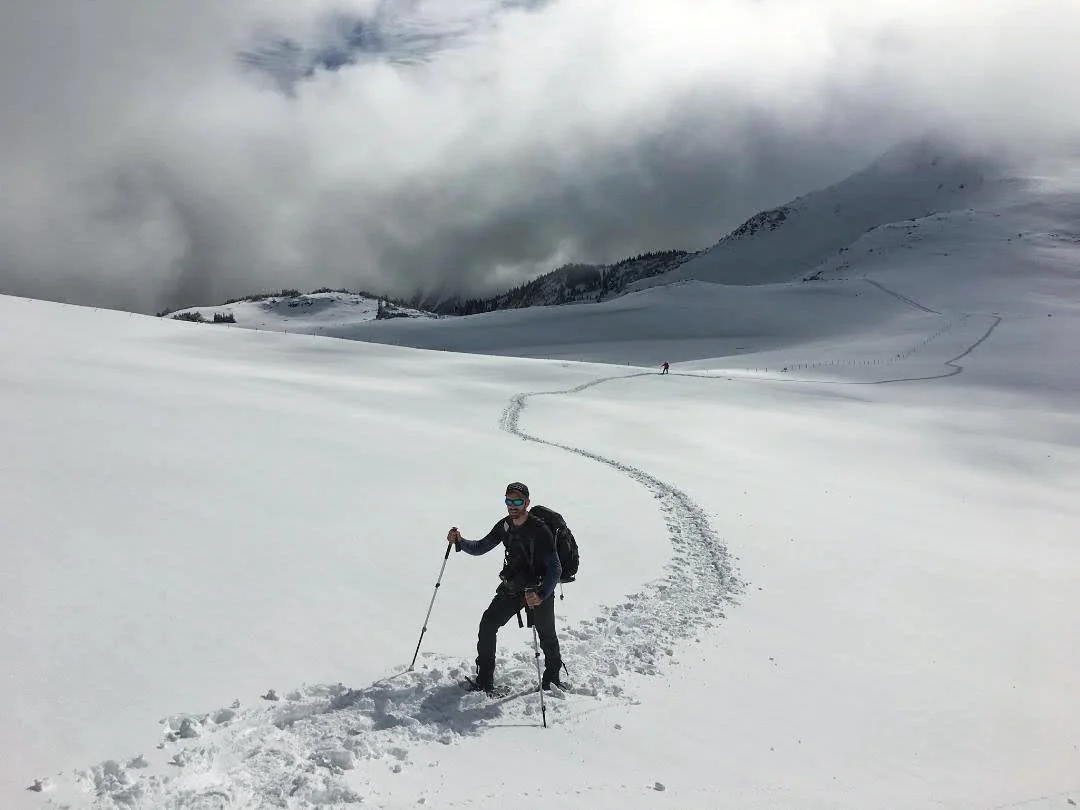
As a landscape photographer, I've spent years chasing fog.
The ritual was always the same: wake at 4 AM, check five different weather apps, cross-reference humidity data with wind forecasts, study satellite imagery, make an educated guess, and drive an hour to a location—only to find clear skies.
Or worse: wake up at 7 AM to a perfect foggy morning I didn't know was coming…

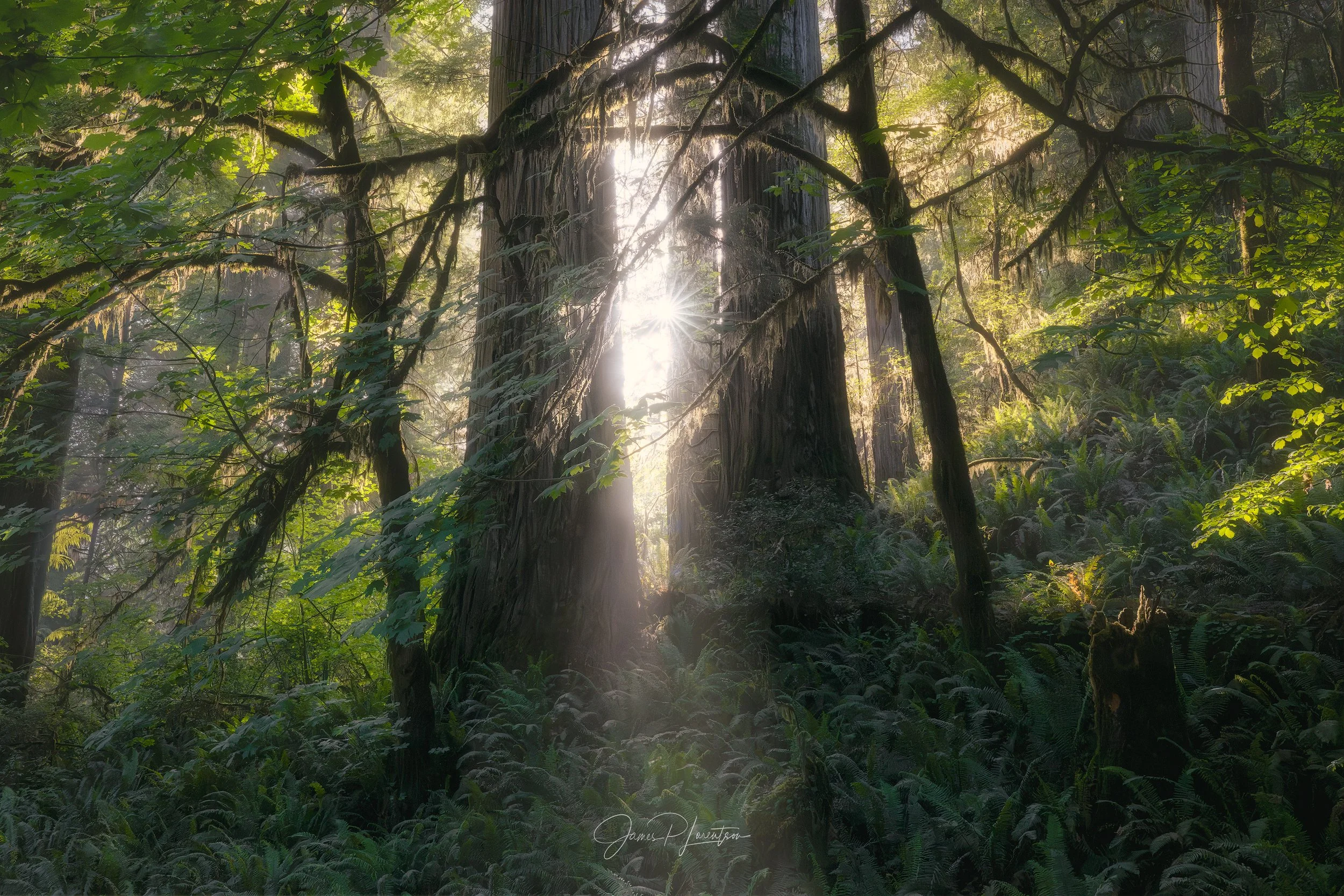
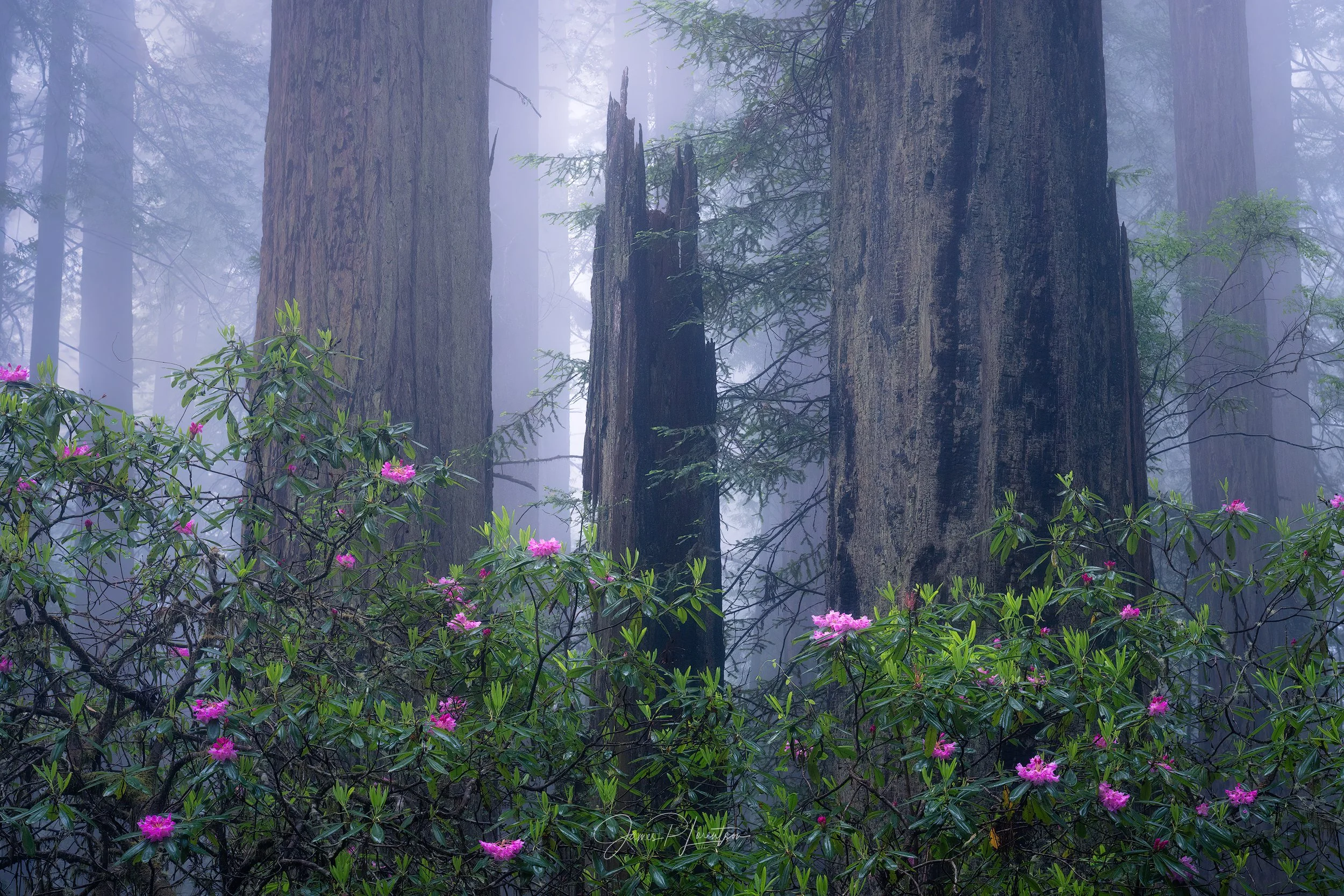

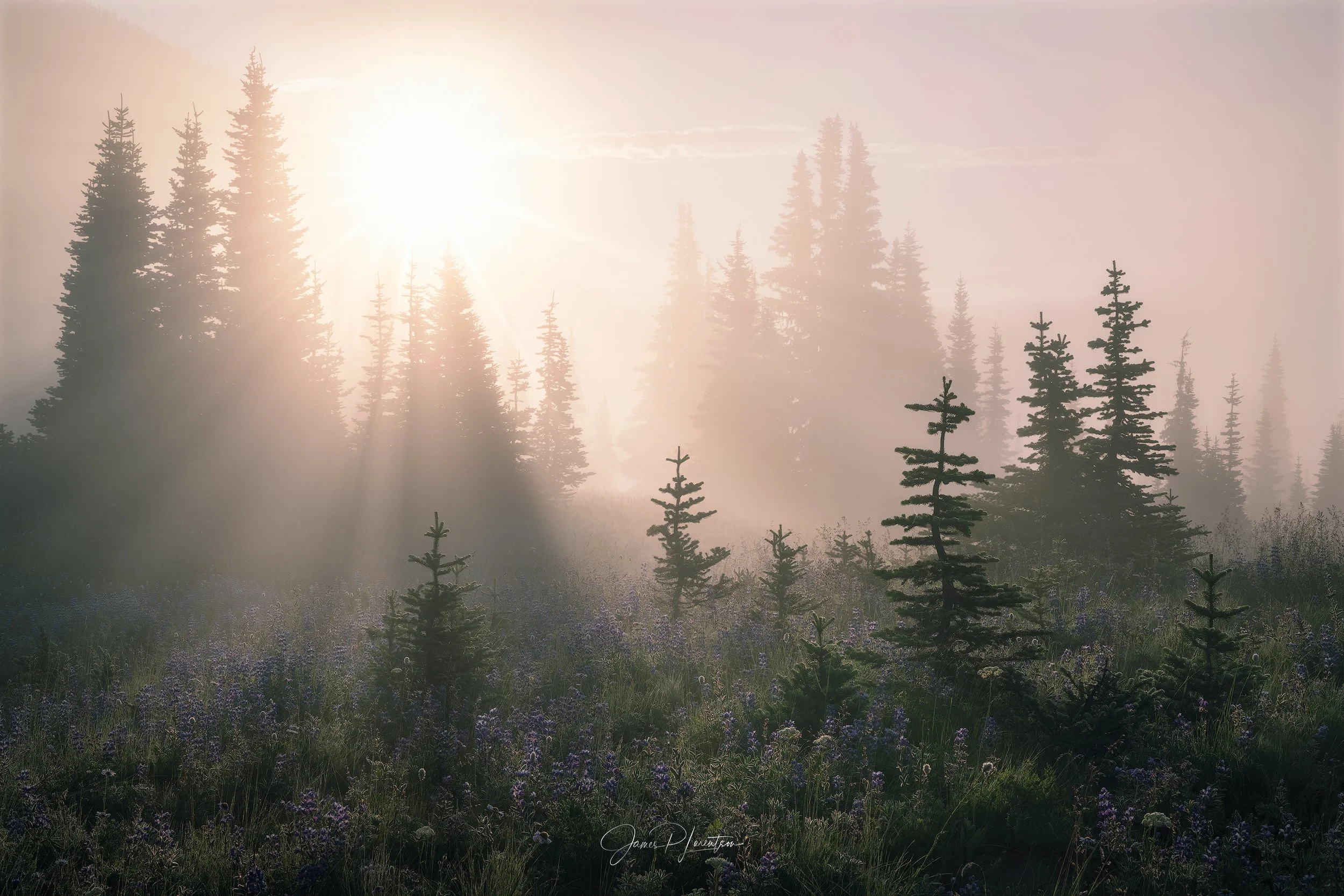
When I’ve been lucky, those foggy experiences have been some of the most enjoyable, memorable, otherworldly, mystical, surreal, ethereal, and sublime experiences I’ve had in nature.
But reliably predicting where and when it forms is HARD!
My Persona = Me
In design, it’s often a mistake to design with yourself in mind, but with Fog-Index, I enjoyed being a little selfish. 😉
Because my primary pain point was wasted time/energy, I deprioritized generic weather data and focused the UI entirely on the 'Fog-Index’ score—giving me the binary 'go/no-go' signal I need for the locations I care about.
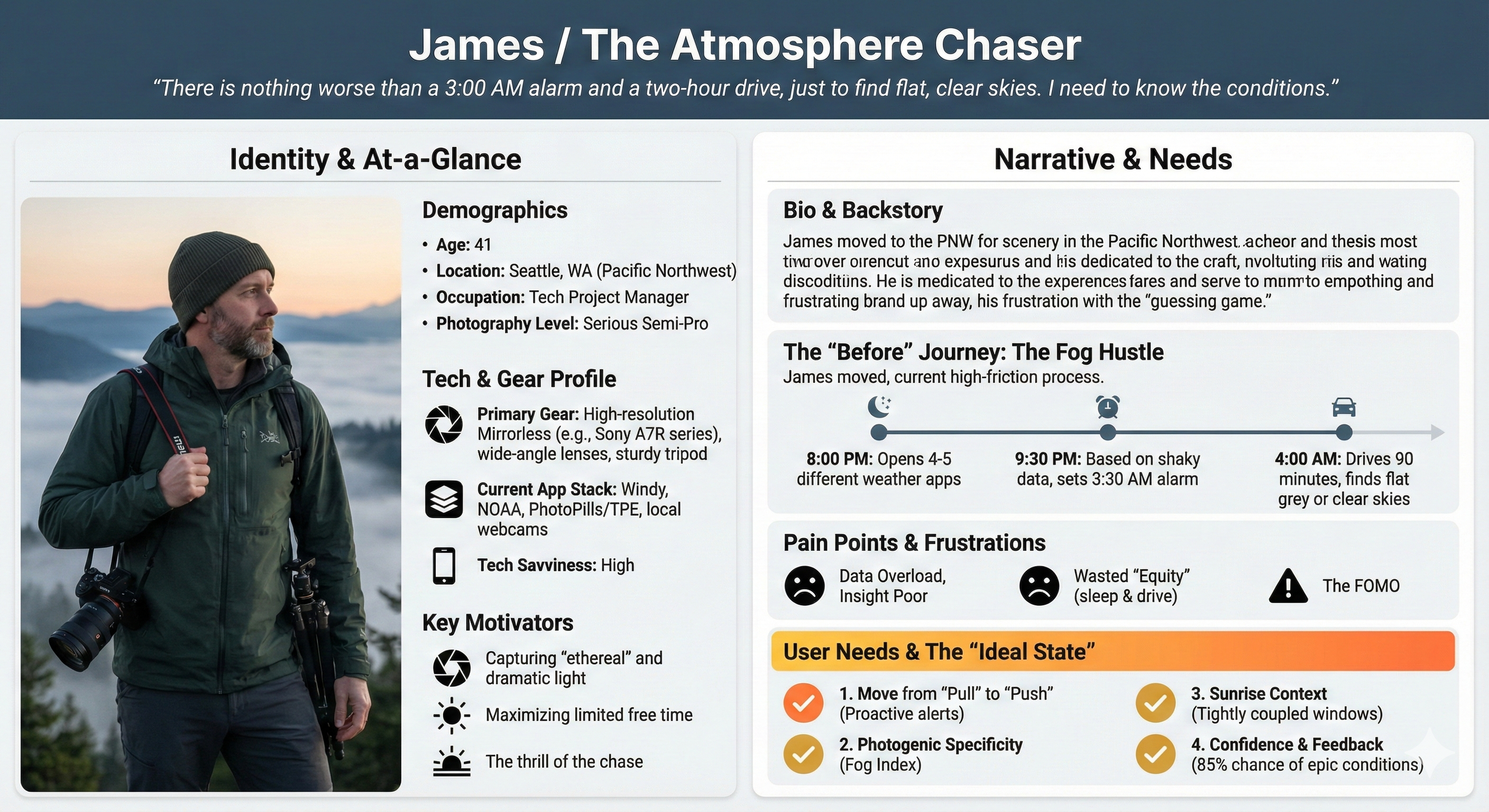
Existing tools are built for hazards, general weather forecasts, and sunrises, not fog. I needed something that could predict photogenic fog and alert me proactively.
The Competition
NWS & Aviation
Optimized for hazardous, zero-visibility conditions—not the beautiful mist photographers chase.

General Weather Apps
‘Pull' services that require manual interpretation of 5-7 variables every single day.


Photo Sunrise Apps
Groundbreaking for color prediction, but they don't forecast fog at all. And you have to check them manually.

“The gap was clear: no one was building proactive alerts for photographers who wanted to capture the mist.”
The RESEARCH
The Multidimensional Science of Fog
As a photographer who chased fog for years, I thought I knew fog. But as I dug deeper into the subject, I came to realize why fog remains one of the most difficult weather phenomena to predict, even with modern numerical weather prediction models.
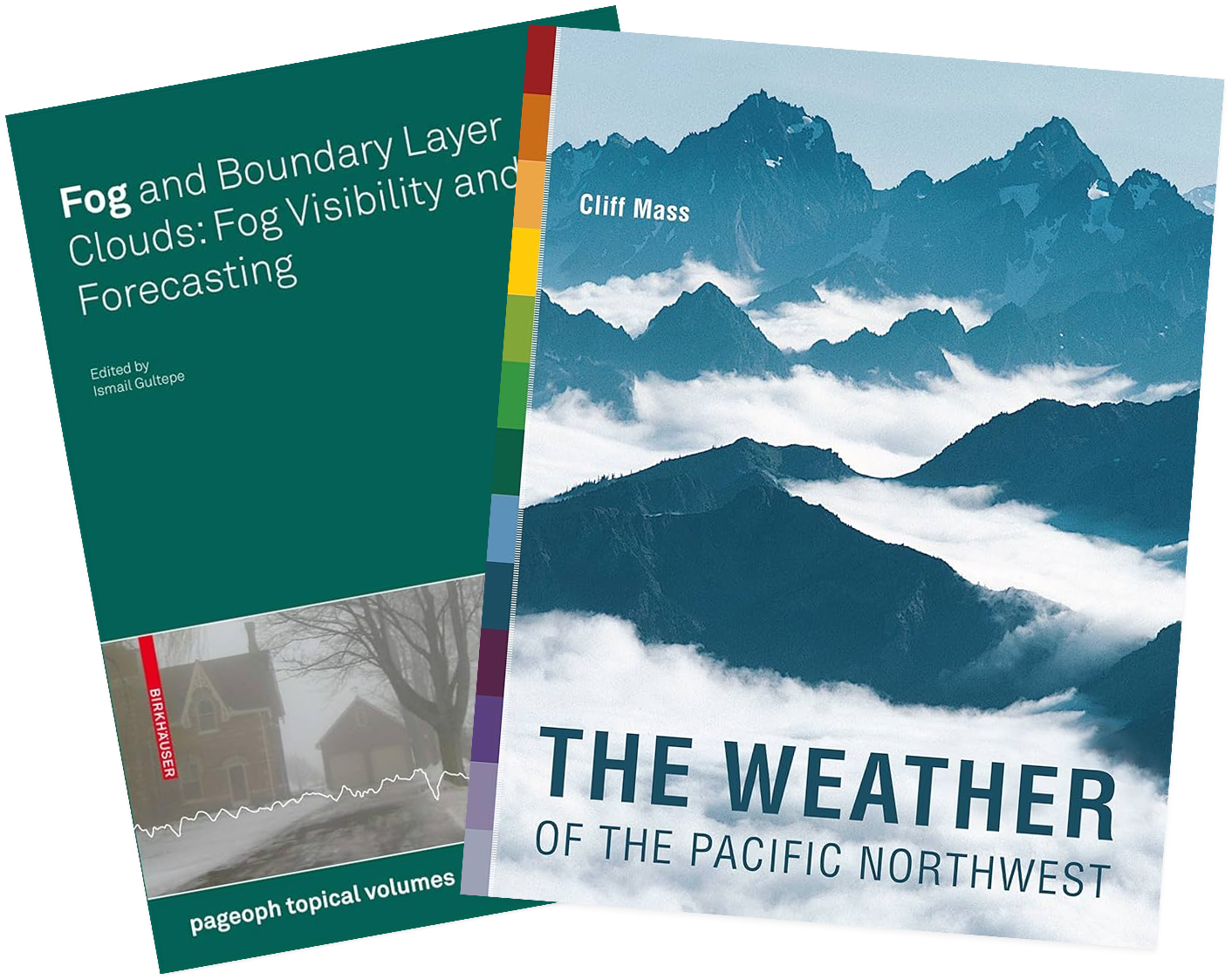
I started by reading some of the available material I already had in my library. I learned about fog formation, and the many different types of fog:
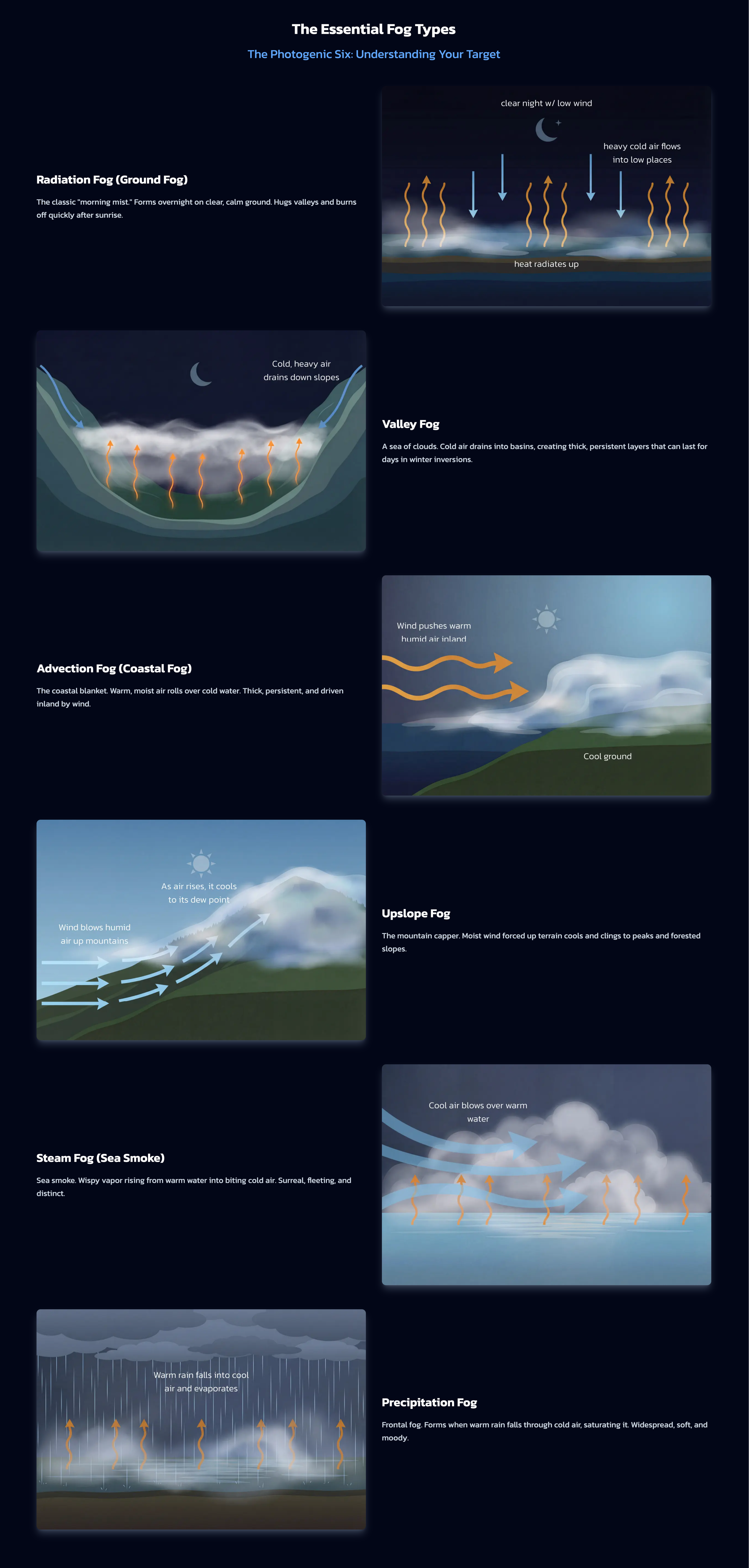
Radiation Fog: Ground cools at night, chilling air to its dew point. Calm, clear nights.
Advection Fog: Warm, moist air moves over a cold surface. Needs wind.
Upslope Fog: Moist air rises up slopes, cools and condenses.
Steam (Evaporation) Fog: Cold air over warm water/wet land; evaporation condenses as "sea smoke."
Precipitation (Frontal) Fog: Rain evaporates into cold, dry air, saturating it.
Freezing Fog: Supercooled droplets freeze on contact, forming rime.
Ice Fog: Fog of ice crystals; occurs below about −22°F (−30°C).
Valley Fog: Radiation fog trapped in valley floors by terrain.
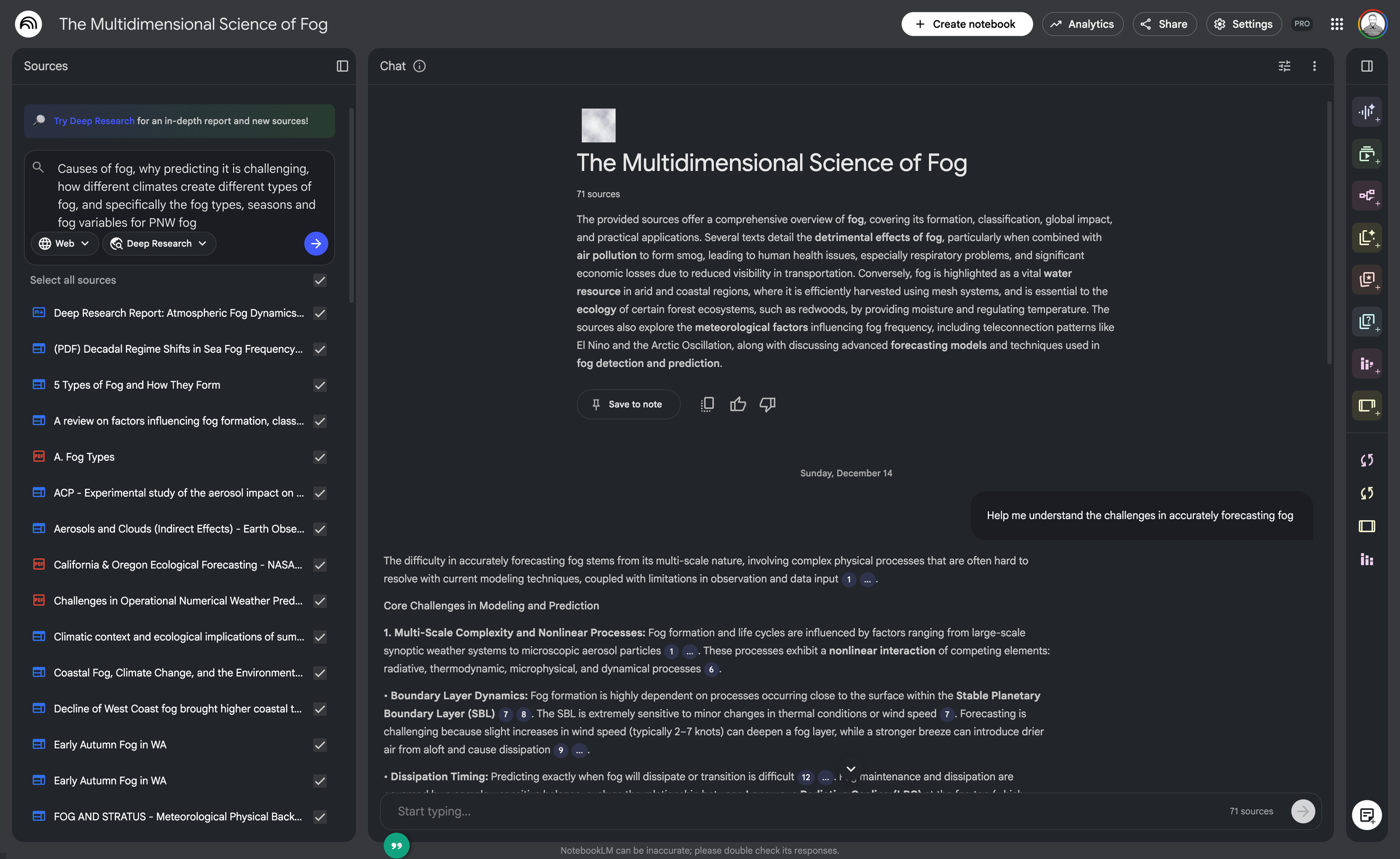
Then I used AI (Perplexity Deep Research, ChatGPT Deep Research, and NotebookLLM) to give me a modern masterclass on the subject along with the numerous challenges of fog prediction:
Threshold sensitivity: Tiny temperature/humidity errors decide fog formation
Sub-grid processes: Fog forms at meters–kilometers, below model grid scale
Boundary layer: Models struggle w/ nocturnal boundary-layer physics, inversions, turbulence
Multiple mechanisms: Radiation, turbulence, aerosols, phase changes must be modeled together
Bias to hazardous fog: Forecasts prioritize dense, aviation-impacting fog
Satellite limits: Satellites cover wide areas but stre close to the earth’s surface
Topography: Complex terrain causes errors in surface energy budgets via localized shading
The process
Product requirements & tech stack
I laid out my goals, approach, platform, APIs, and tech stack. I decided to begin with a Web App, with the potential to expand to mobile native (Android and iOS) later.
1 | Frontend | Backend | Database | APIs | Infrastructure | Auth | Analytics |
|---|---|---|---|---|---|---|---|
2 | Next.js 14 | Firebase Functions | Firestore | Open-Meteo | Firebase Hosting | Firebase Auth | Google Analytics 4 |
3 | React 18 | Node.js 20 | OpenWeatherMap | Cloud Run (SSR) | Google Sign-In | Search Console | |
4 | TypeScript | TypeScript | Google Maps | Secret Manager | |||
5 | Tailwind CSS | date-fns | Google Places | ||||
6 | GSAP | jsonwebtoken | Google Geocoding | ||||
7 | TanStack Query | Stripe | |||||
8 | Lucide React | Resend |
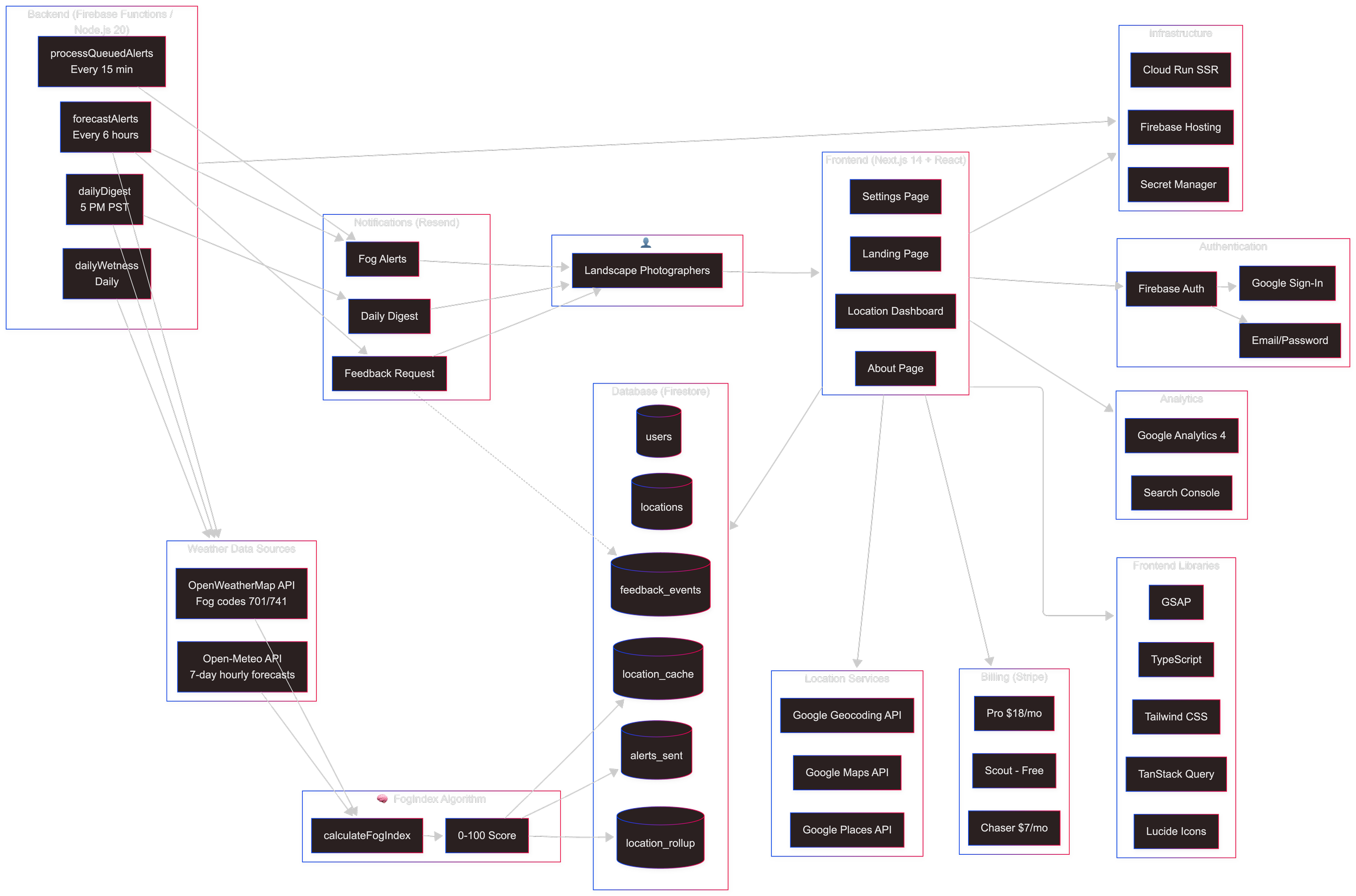
The Solution
A proactive fog prediction system
Features
Custom Locations
Save your favorite photography spots with Google Places integration.
Intelligent Alerts
Get notified up to 72 hours before photogenic fog conditions develop.
7-Day Forecasts
Plan your week with extended forecast visibility.
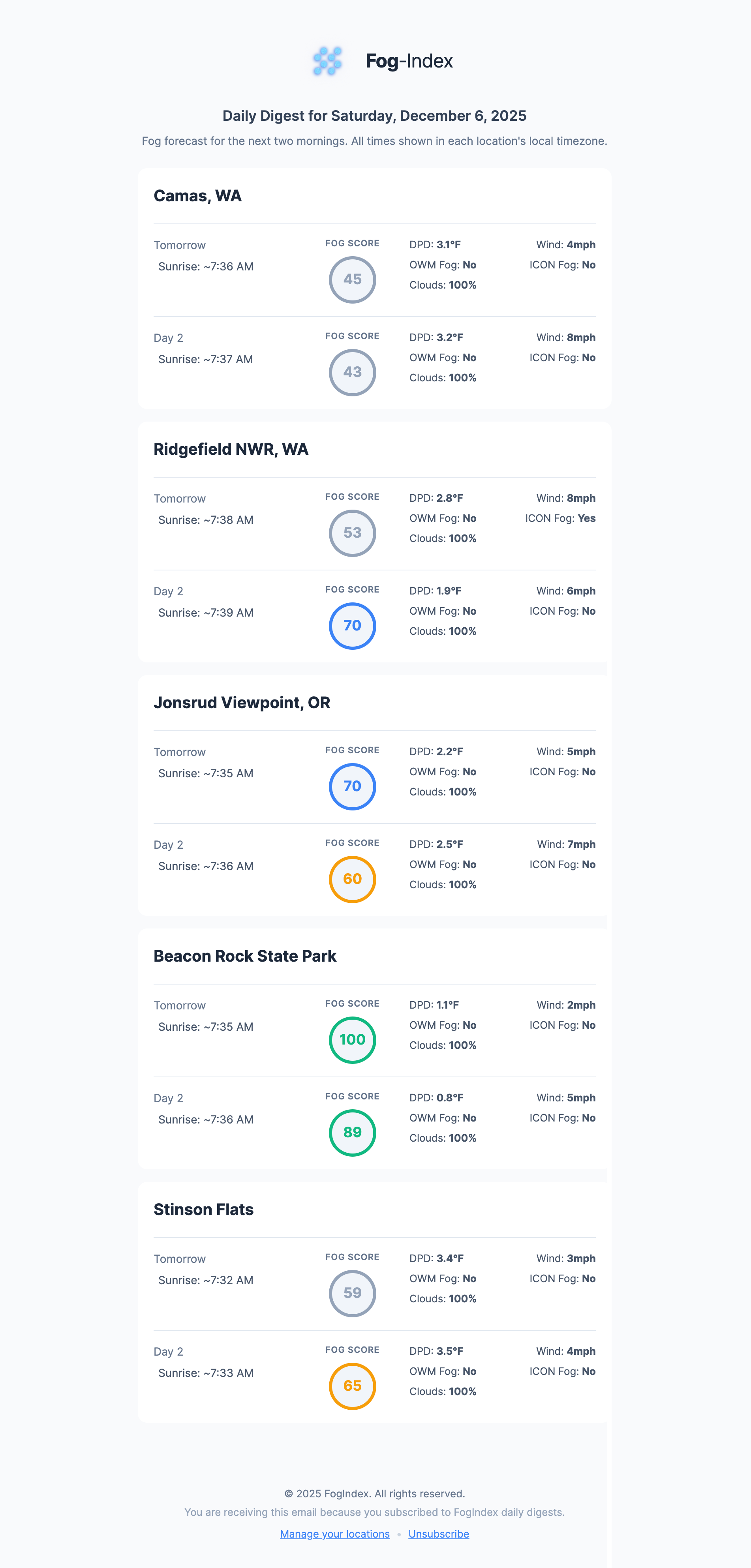
Daily Digest
A summary of all your locations delivered at 5 PM every day.
Over more than a month, I monitored actual fog and compared my findings to the algorithm’s prediction, tweaking the variables, their ranges and thresholds.
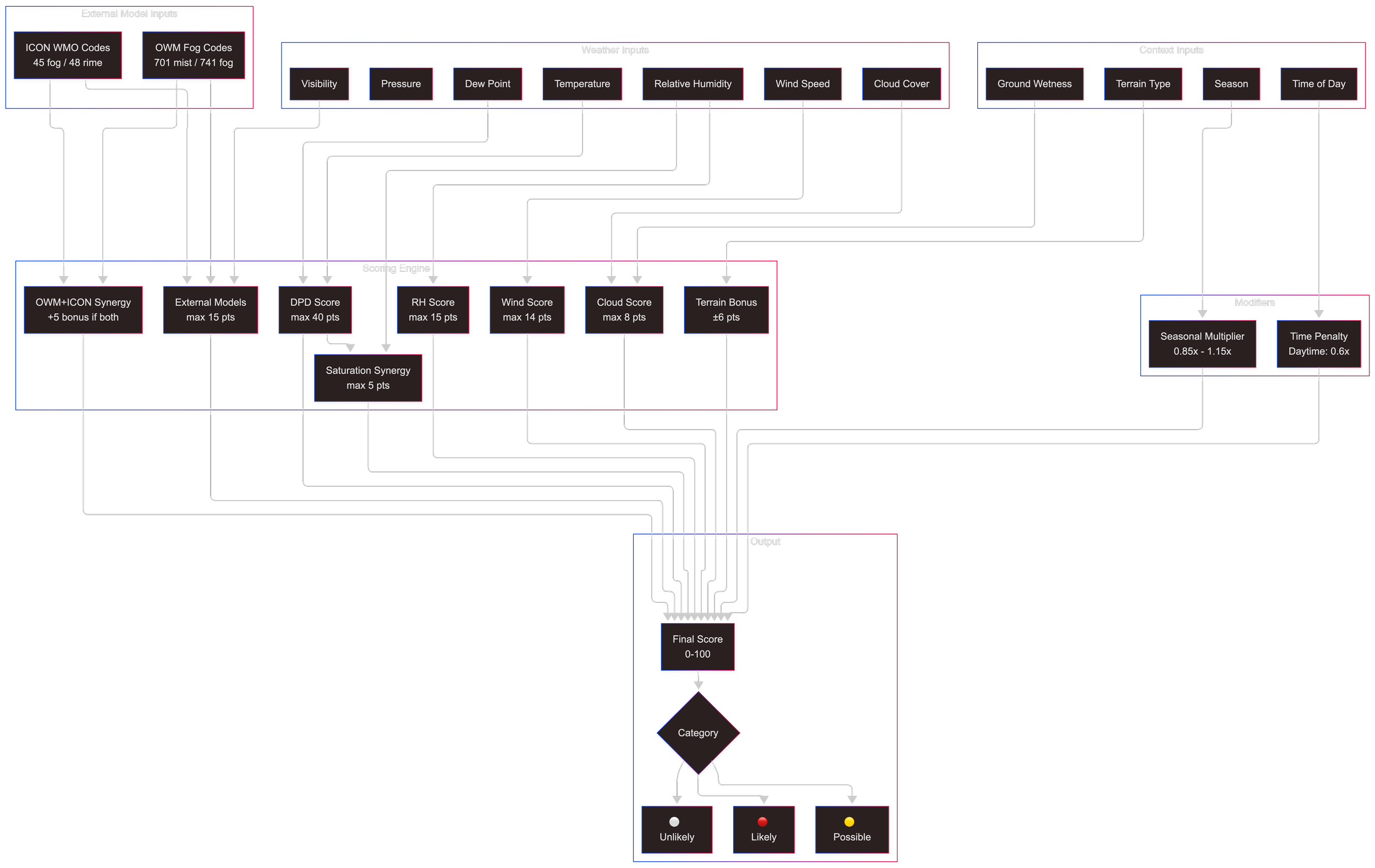
Fog prediction requires tracking the intersection of 15+ atmospheric variables into a single 0-100 score, delivered to users’ inboxes before sunrise.
Dew Point
Cloud Cover
Terrain Type
Humidity
Atm. Pressure
Seasonality
Temperature
Visibility
Wind Speed
Time of Day
Recent Weather
My Custom Innovations (where standard weather apps fall short):
Wetness Memory — Tracking ground moisture from recent rain
Temperature Drop Proxy — 3-hour cooling trend as inversion indicator
DPD Trend — Dew point depression tightening as stratus lowering signal
Cloud Prep Window — Pre-fog clearing patterns that allow radiational cooling
Fog-Index Algorithm Data Model
The ALGORITHM
Building a Proprietary Weather Model
Weather Data
Weather Data Integration
-
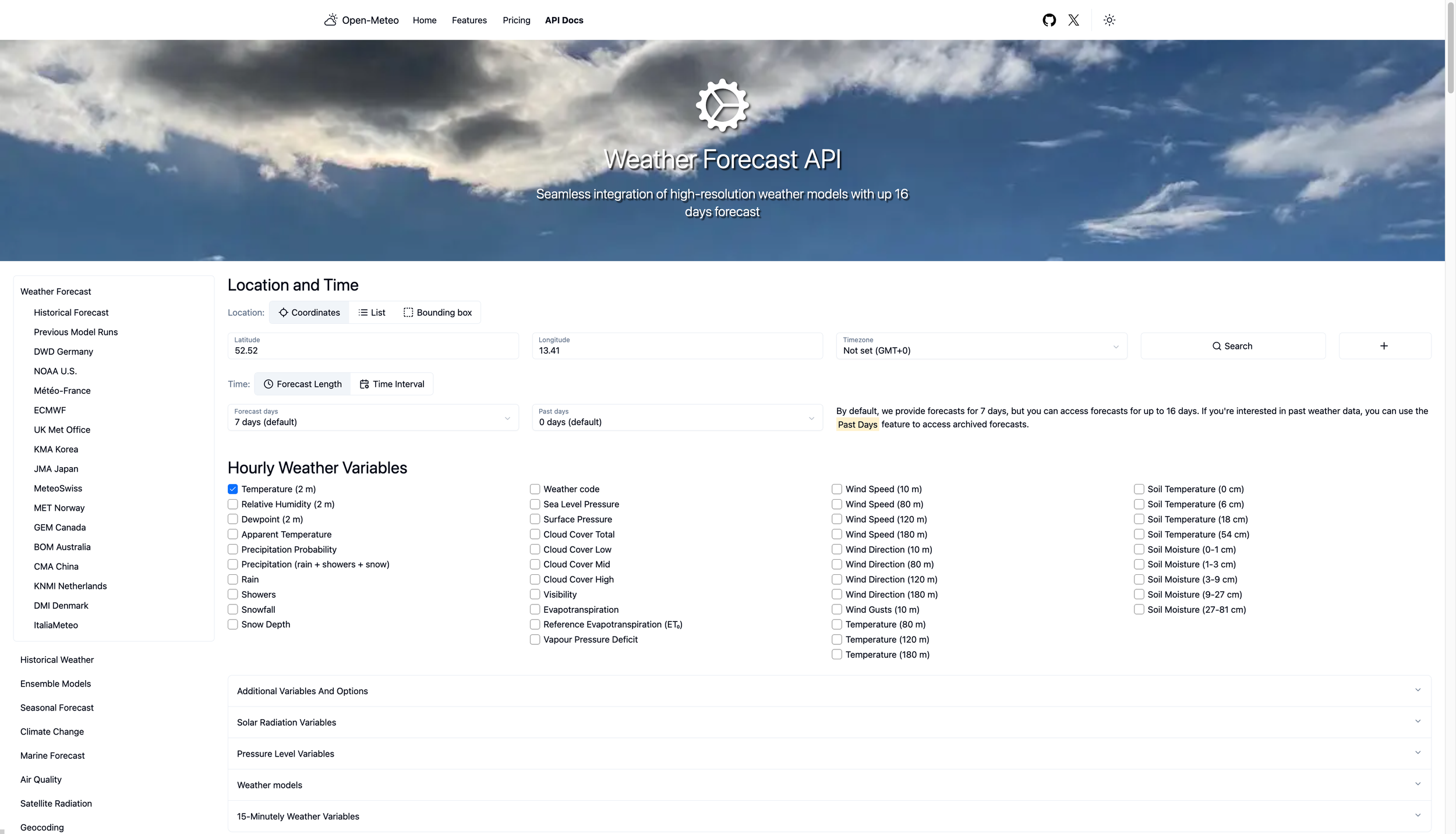
Open-Meteo (Primary)
Free API providing 7-day hourly forecasts. Temperature, humidity, dew point, wind, visibility, pressure, cloud cover.
-
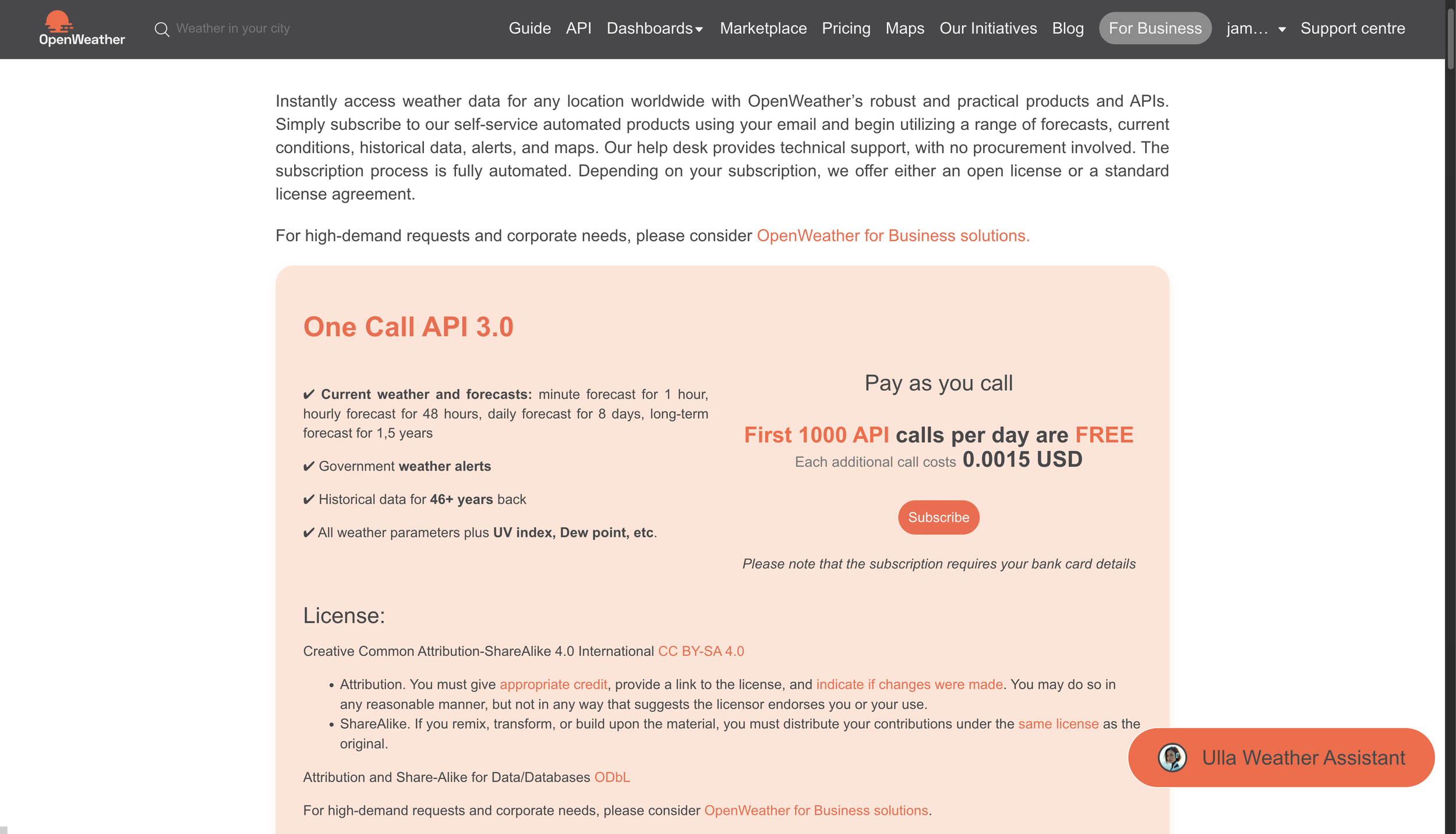
OpenWeatherMap (Secondary)
Provides sunrise/sunset times and fog/mist weather codes (701, 741).
The Design System
Code as the Deliverable
As a designer, my instinct was to open Figma. But I realized something important: I wasn't handing off to developers—I was the developer. The design system document could be the deliverable itself.
I created `STYLES.md`, a comprehensive design system specification:
The DesignS
The Live Product
Fog-Index is now live and serving real users.
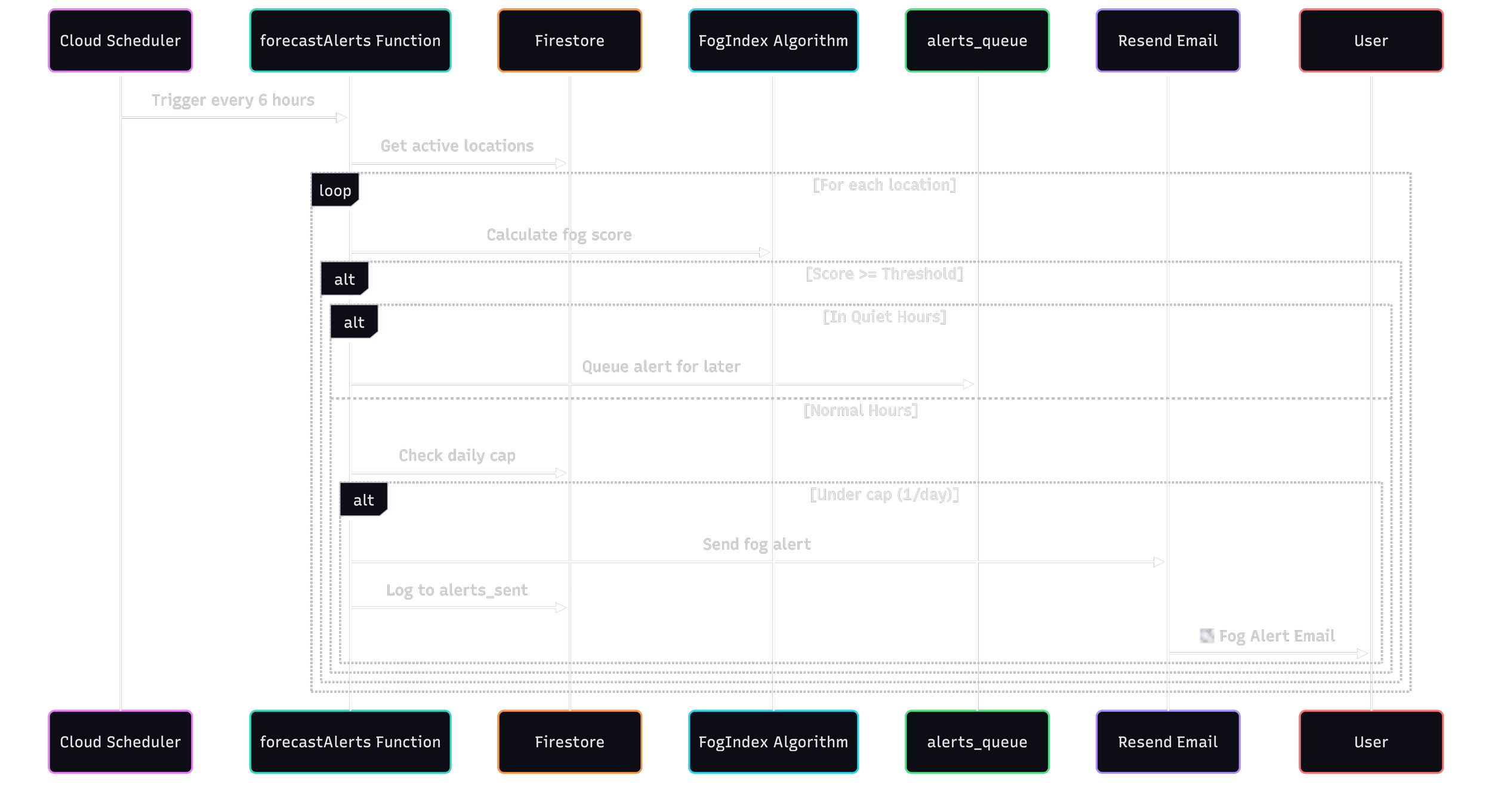
The app’s core is its alerts: warning photographers when fog is likely, giving a daily summary for saved locations, and collecting their feedback to improve Fog-Index.
Emails (Alerts)
-
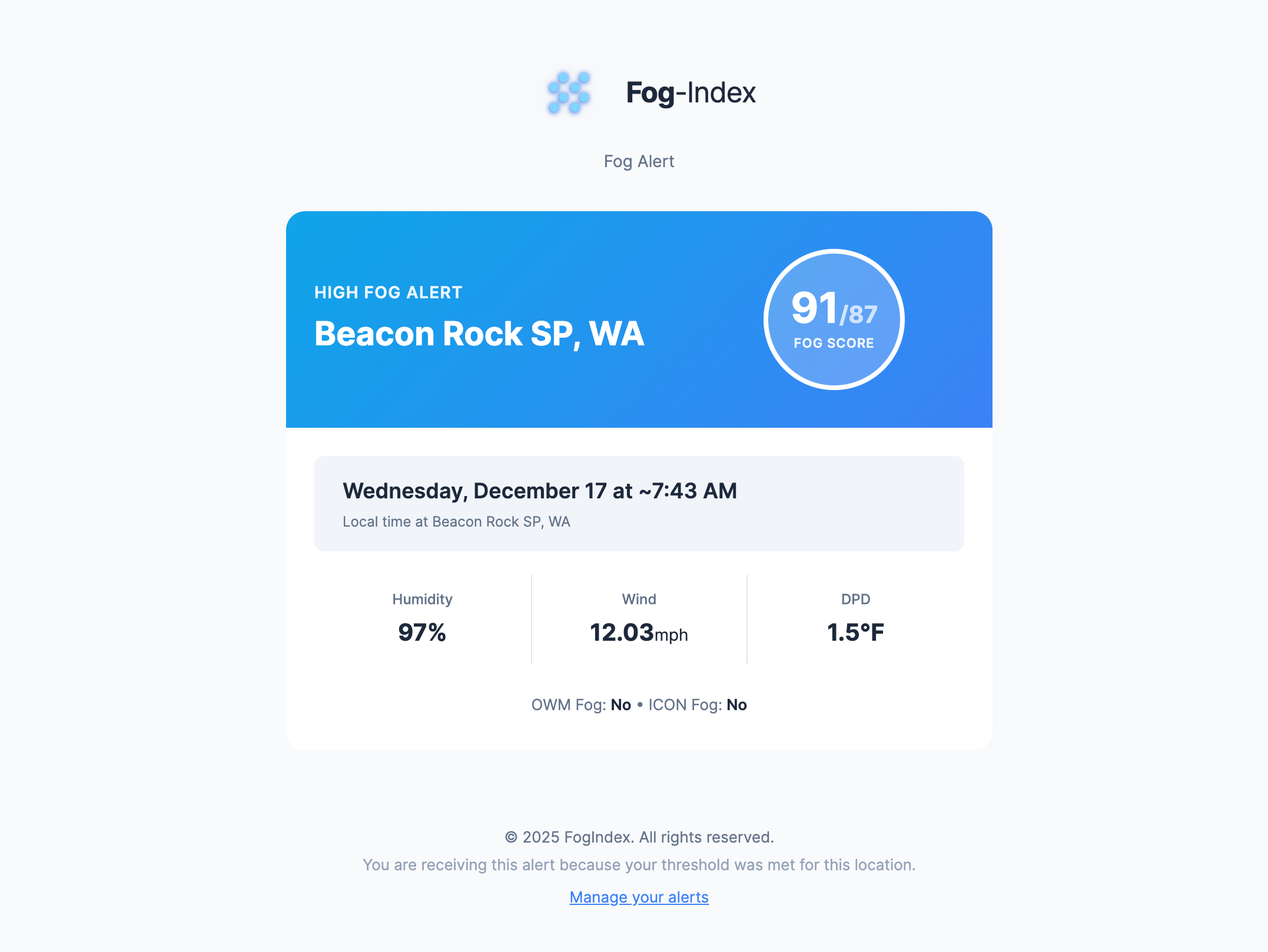
"Fog Likely "Email
This is the primary email sent when the fog score meets or exceeds the user’s set threshold for that location.
-
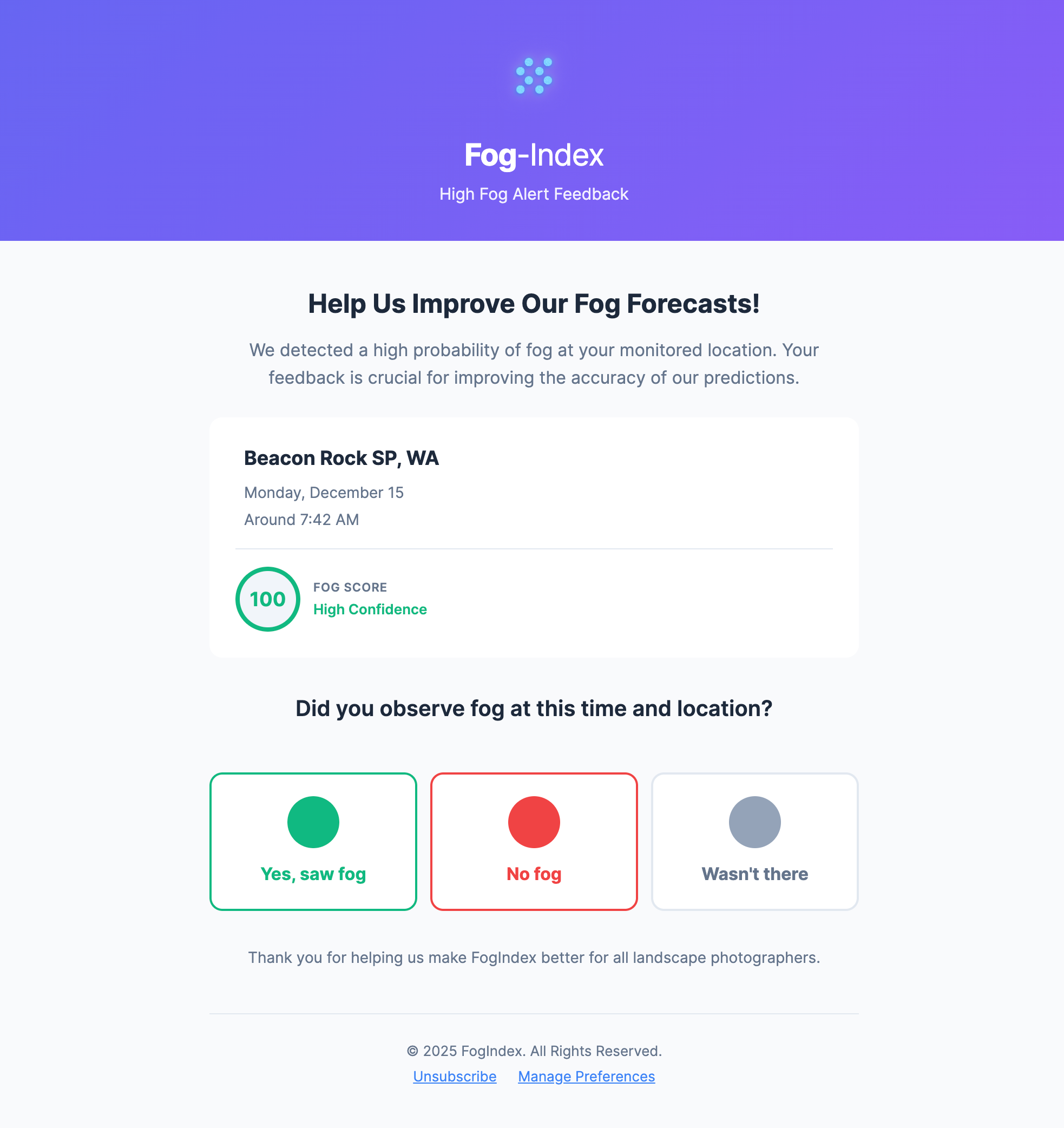
"Did You See Fog?" Feedback Email
Sends when the fog-index score is exceptionally high. User feedback is then used as a reference point to improve the algorithm. Feedback links are JWT-signed with 6-hour expiry for security.
-
"Daily Digest" Email
This daily emails sends at 5 PM everyday a rollup of all of the user’s saved locations regardless of score.
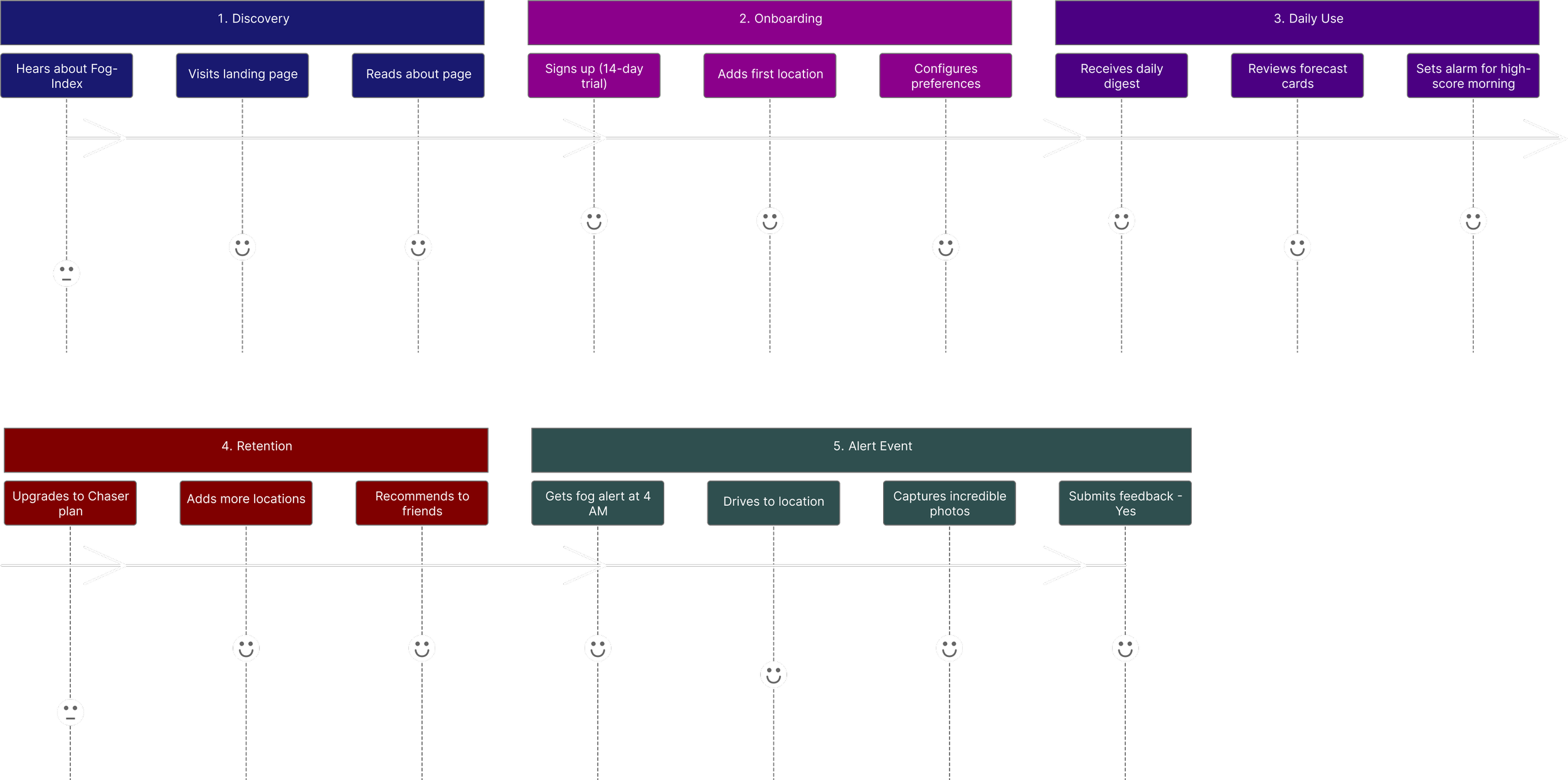
Photographer’s Journey with Fog-Index
Main Pages & Modals
-
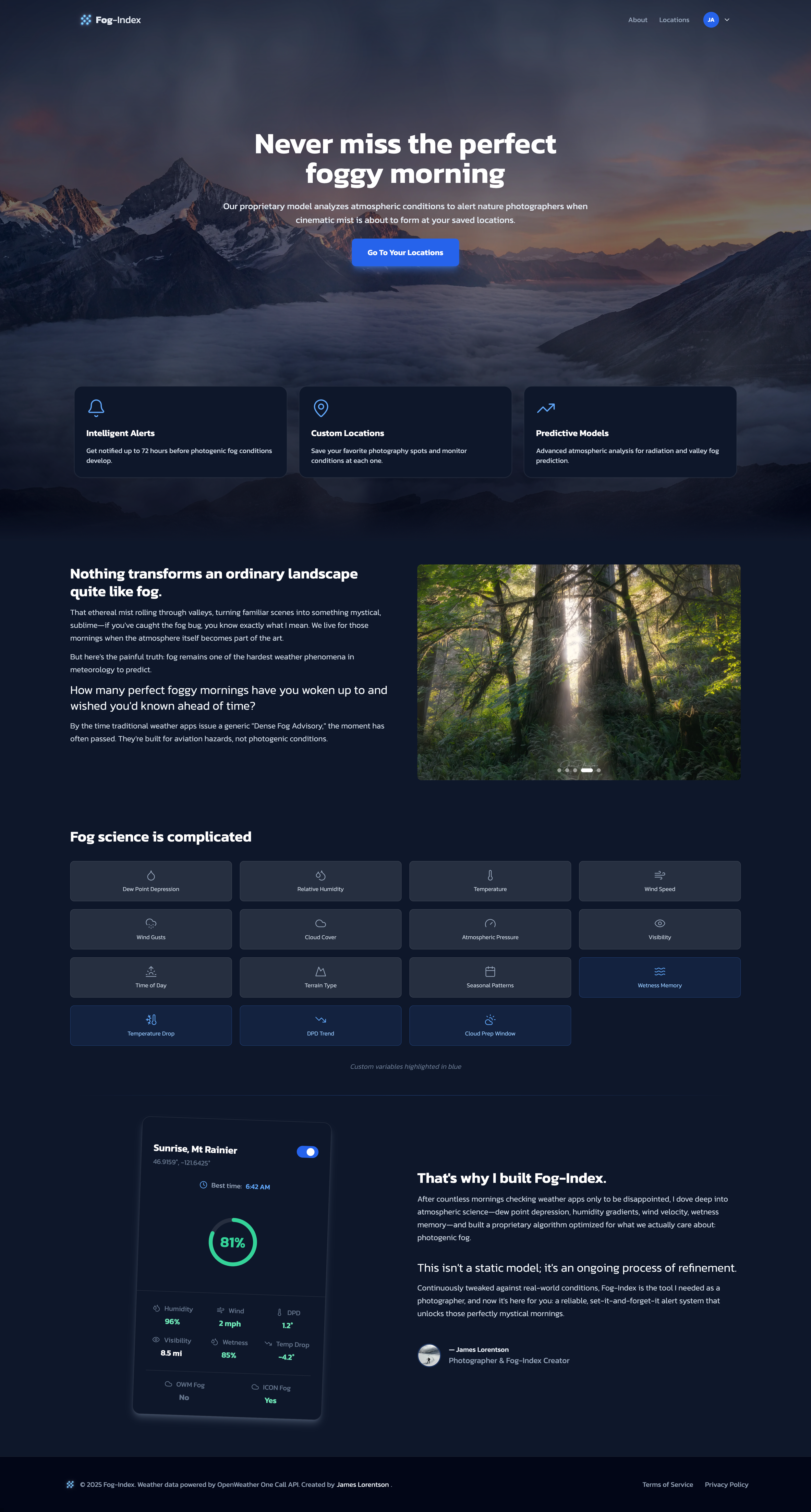
Home Page
Home page advertising the main features and describing the story behind Fog-Index
-
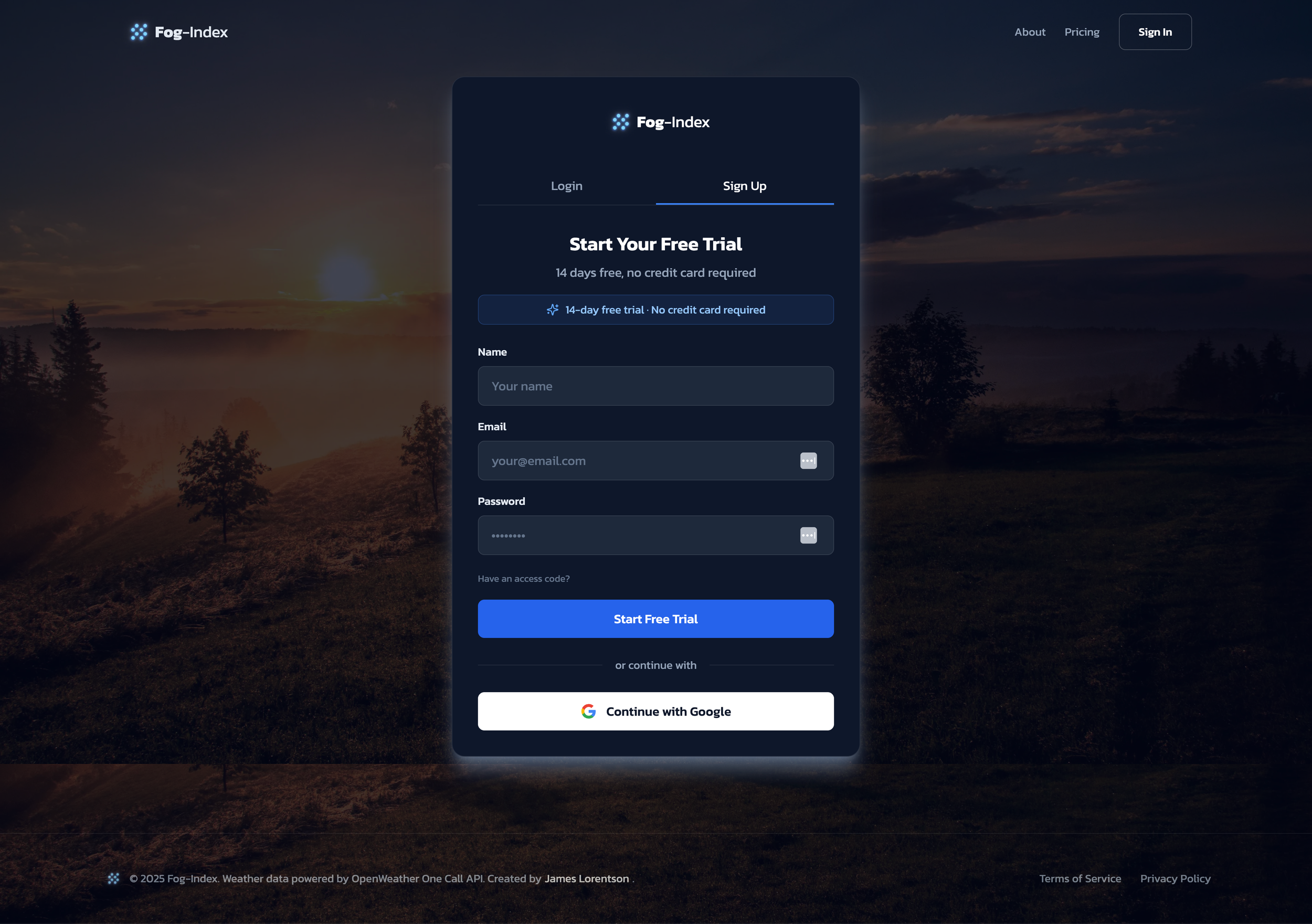
Signup and Login
Using Google OAuth and Firebase Auth for email and password
-
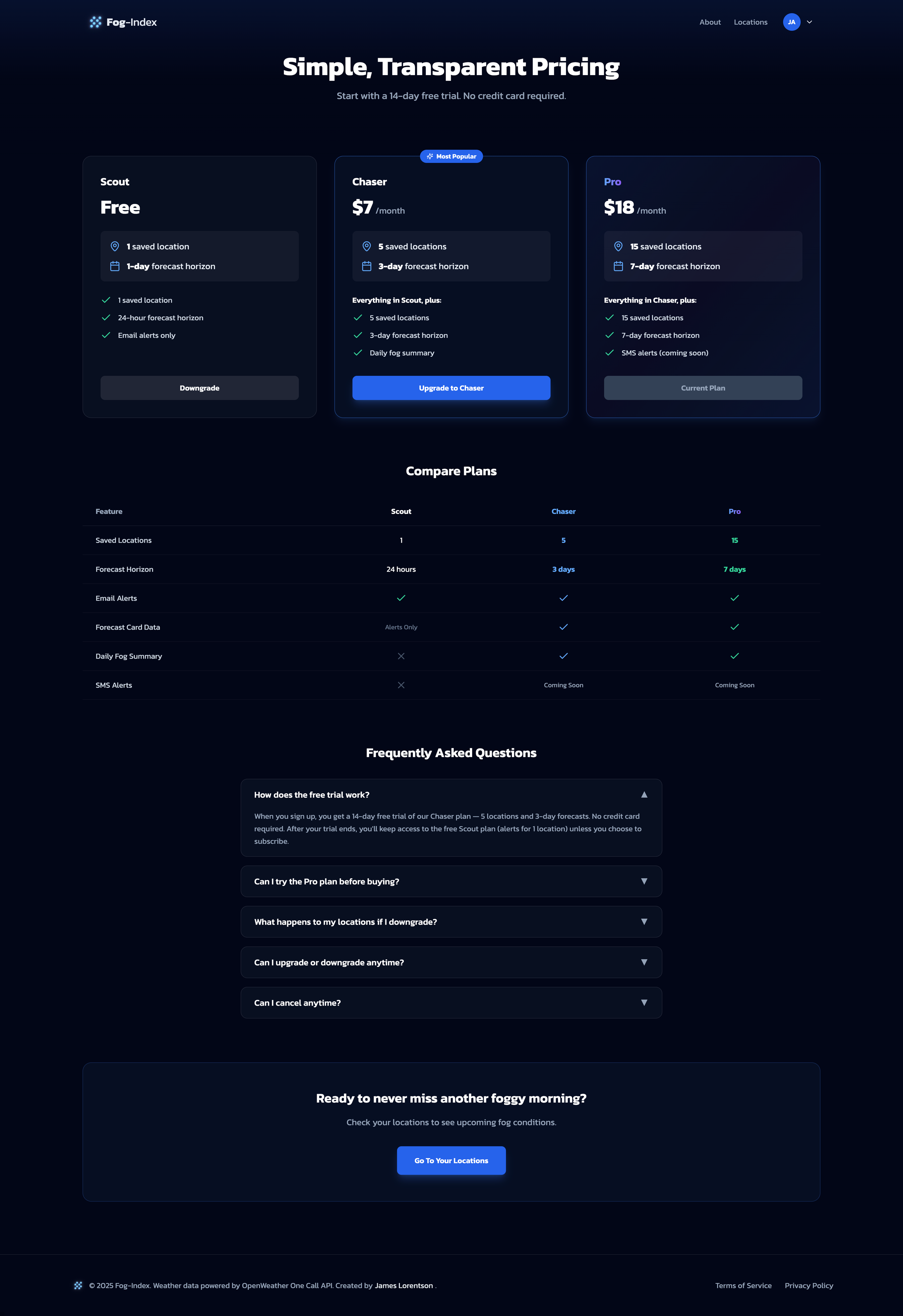
Pricing Page
3 tiers including a free option. Incorporated a reverse trial as a frictionless (credit card free) way users can experience the full power of Fog-Index.
-
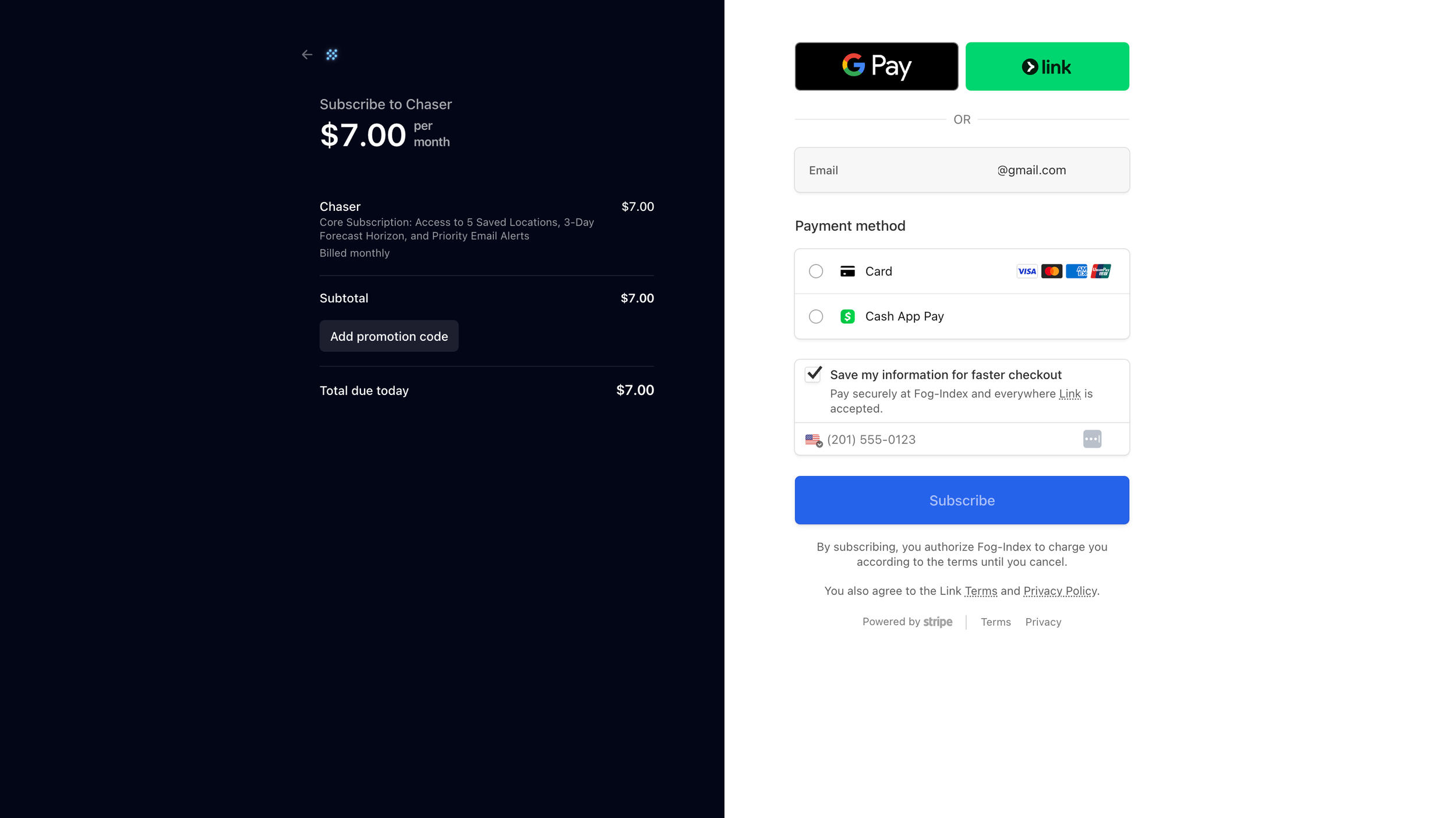
Stripe Billing
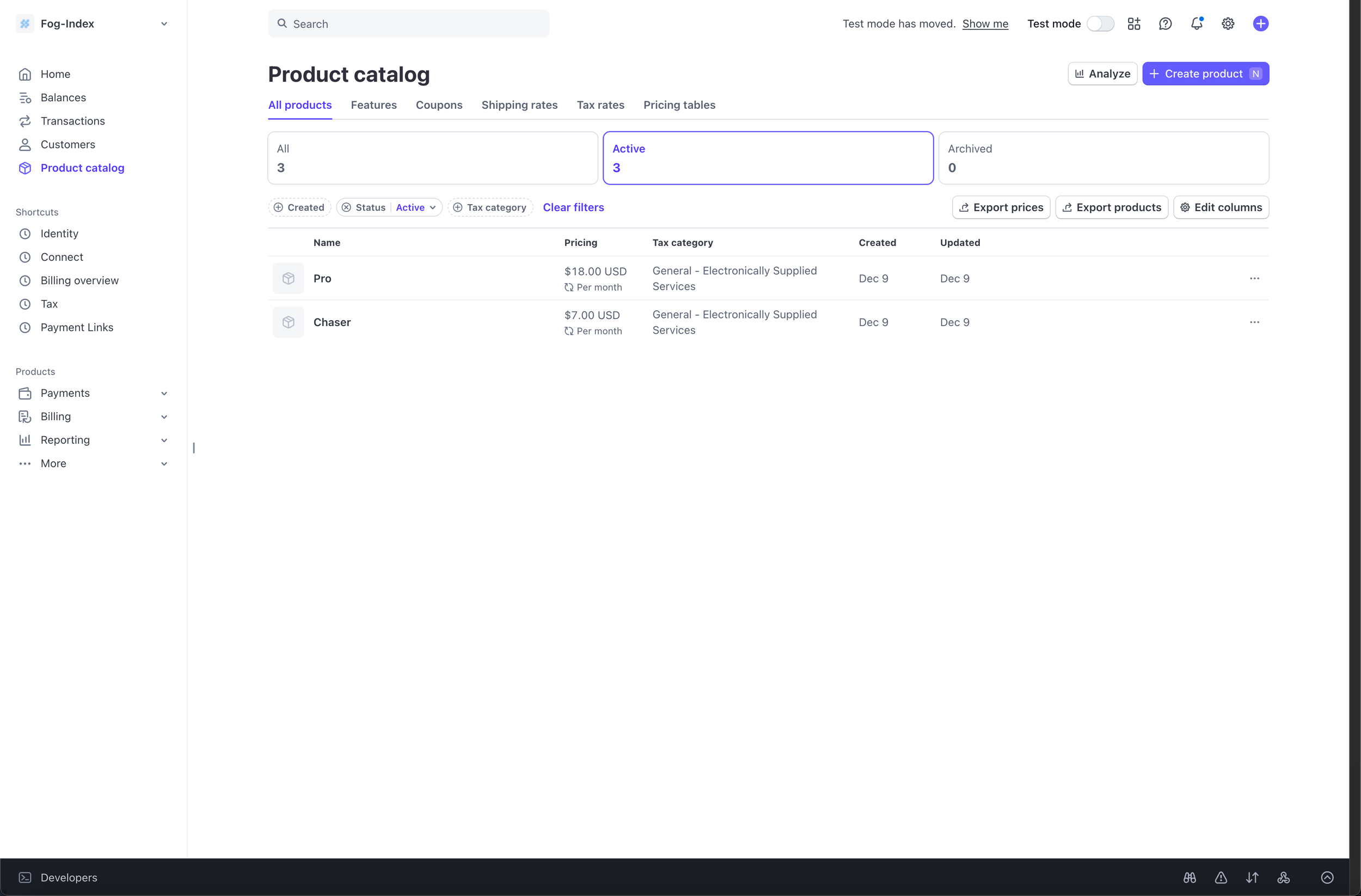
Implement two paid Stripe subscription checkout options + plan entitlement infrastructure in the web app.
-
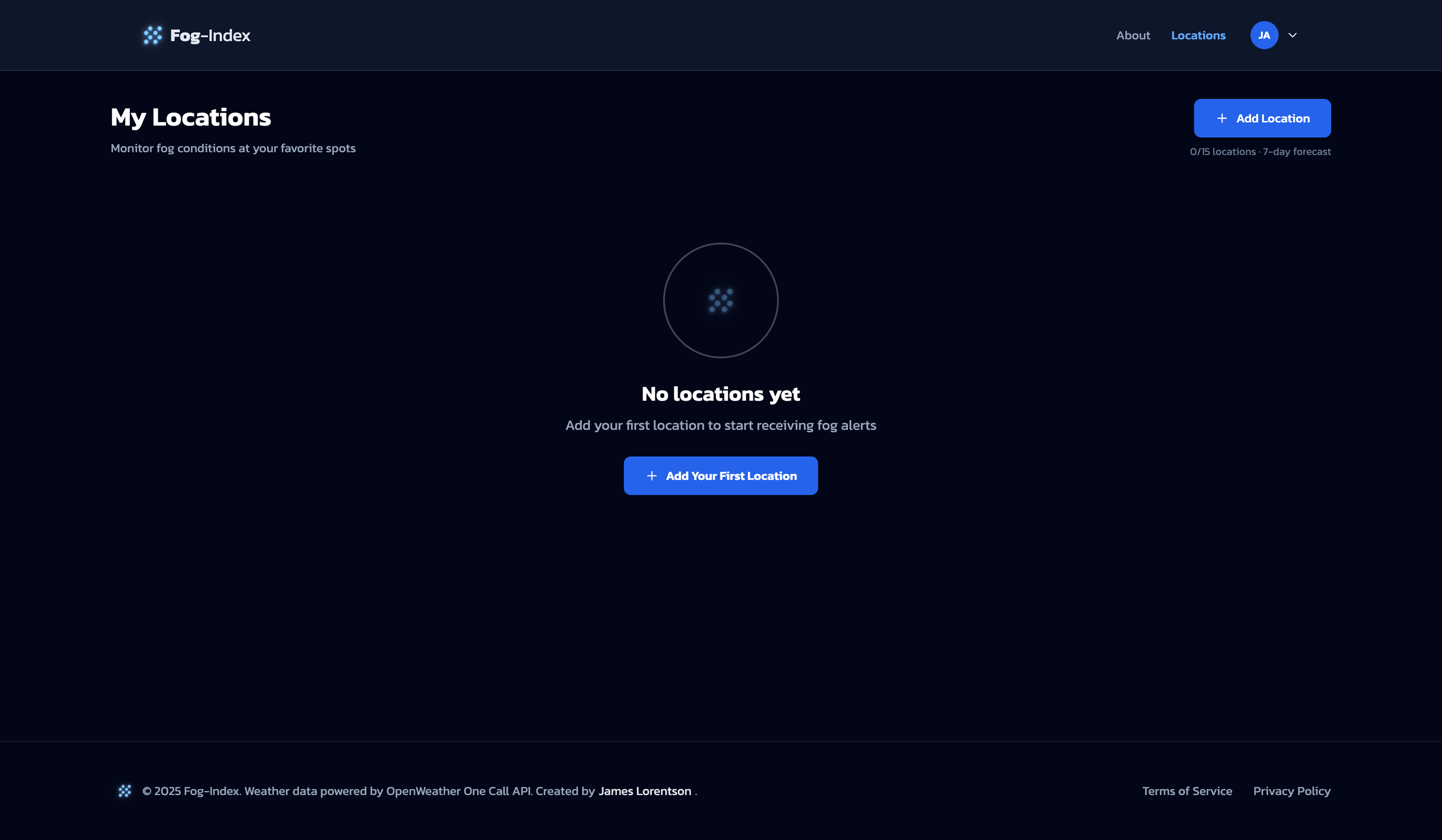
Locations Page (empty state)
When users first land, there is an empty state prompting them to add their first location.
-
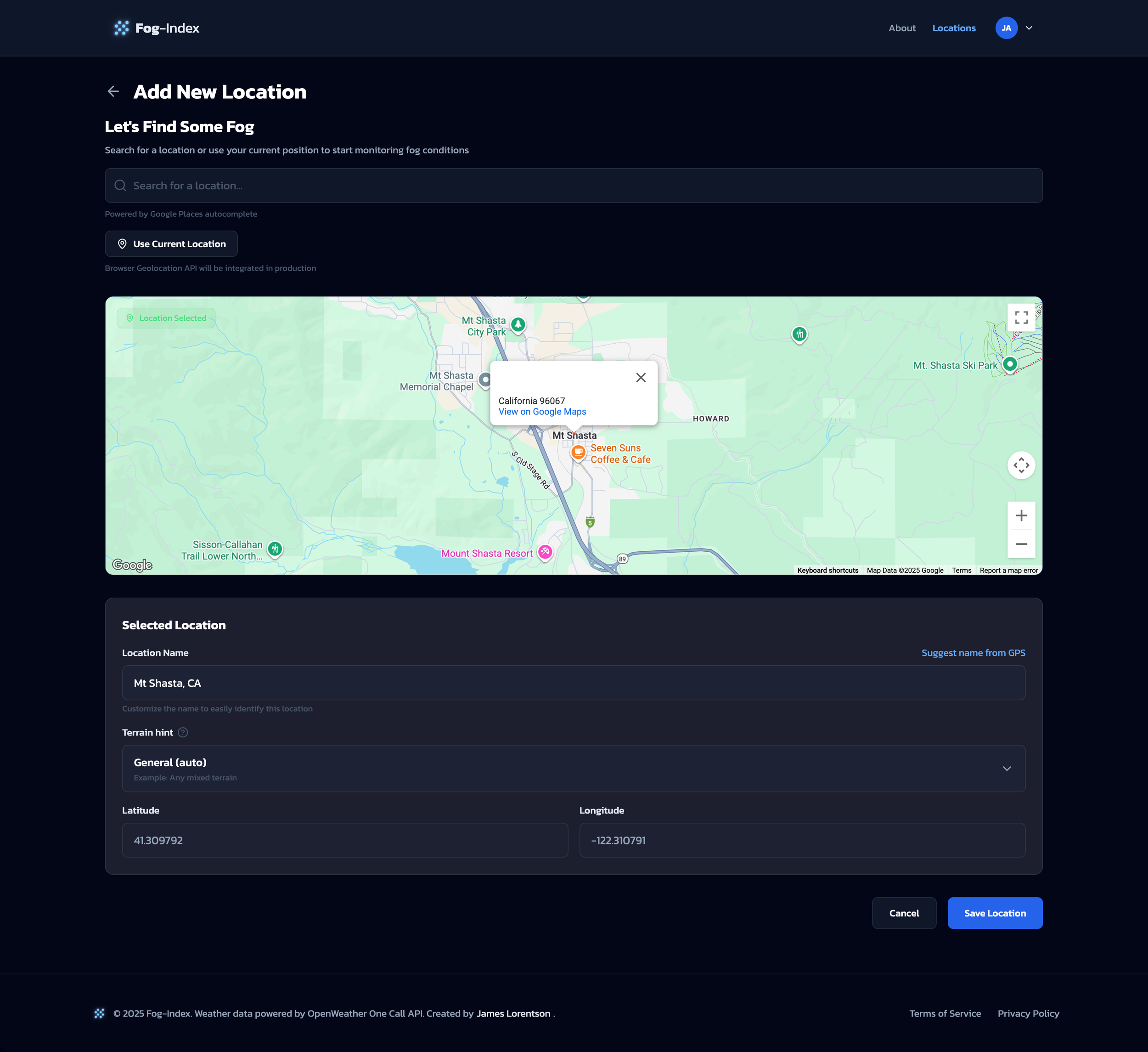
Add New Location
[CRUD] Add a location by searching (Google Places Autocomplete), or by clicking on the map (Google Maps API). Auto-name functionality added using Google Geocode API.
-
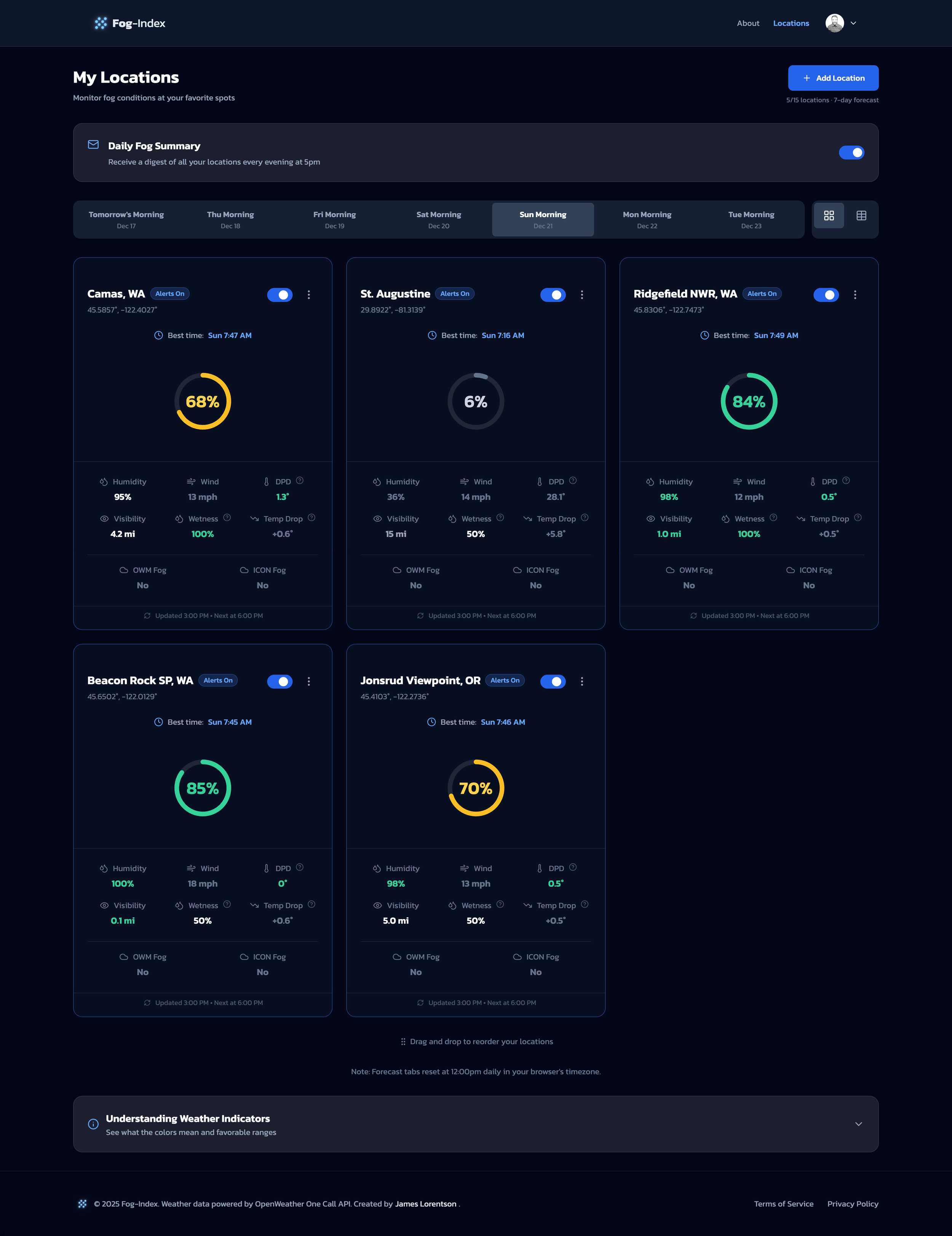
Locations Page (1+ location)
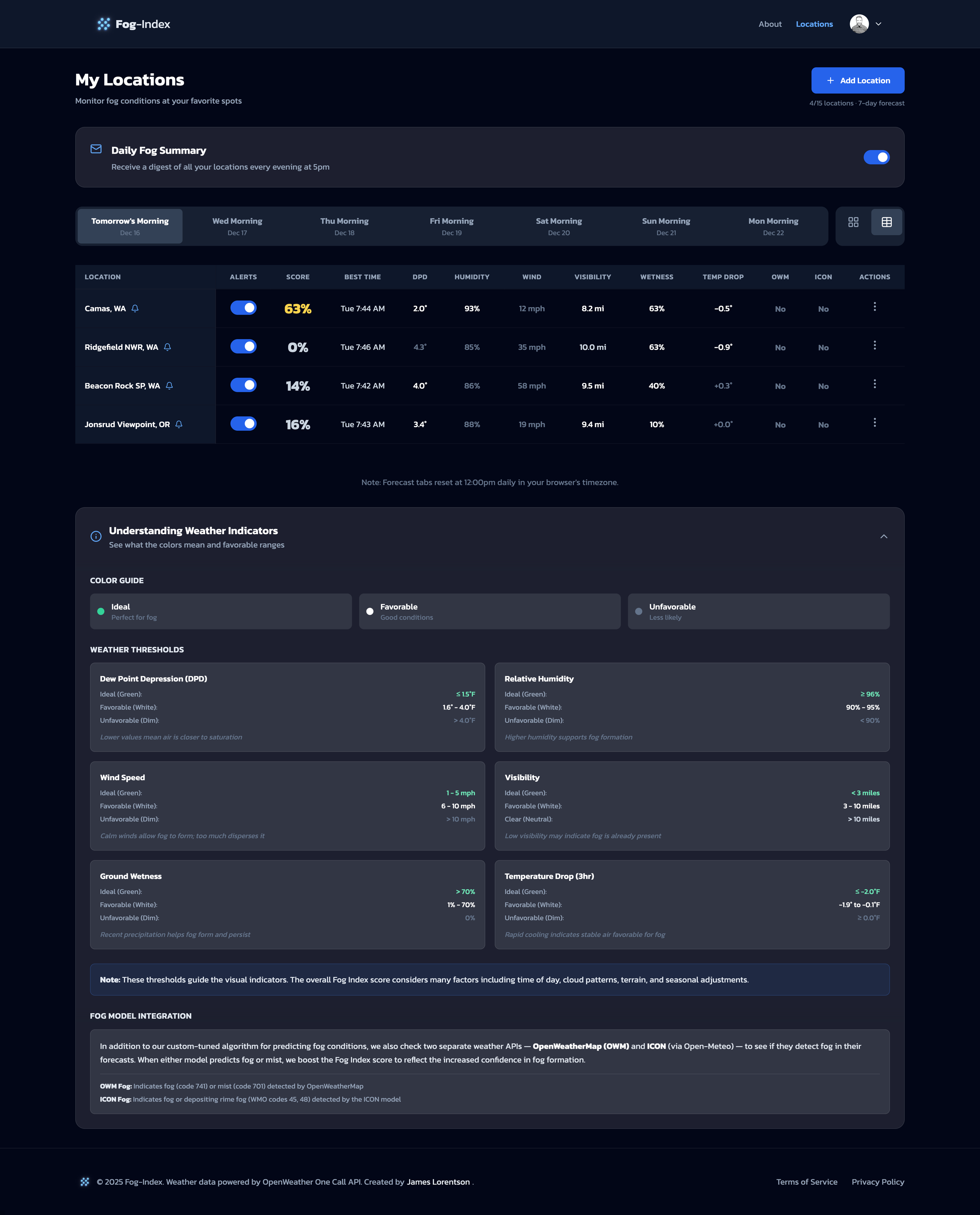
Once a user adds at least one location, they’ll see them here. Toggle between card and table view. Helper info below. Toggle for Daily Digest email.
-
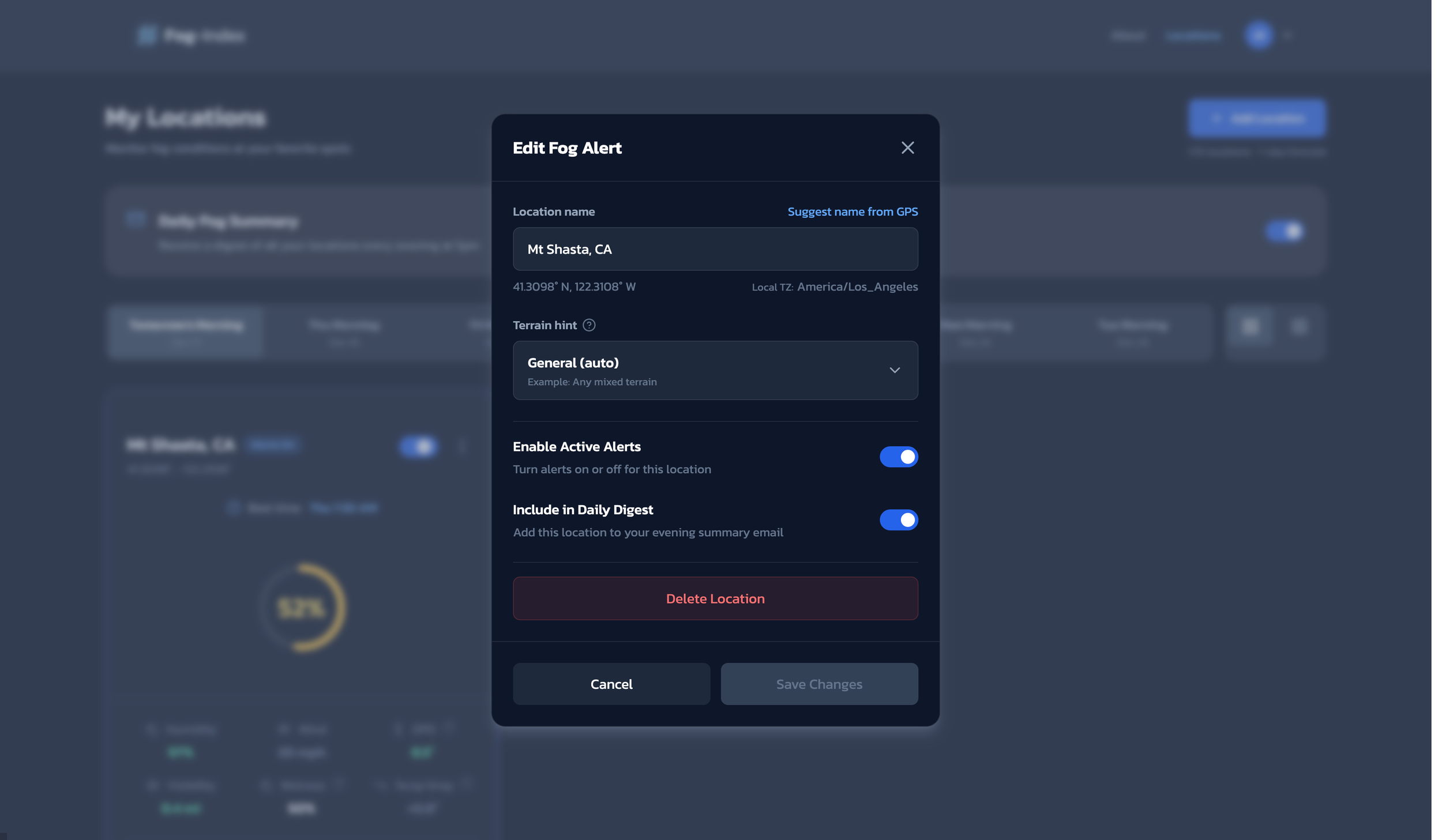
Edit Location Modal
[CRUD] Ability to edit/delete a location and it’s alert settings.
-
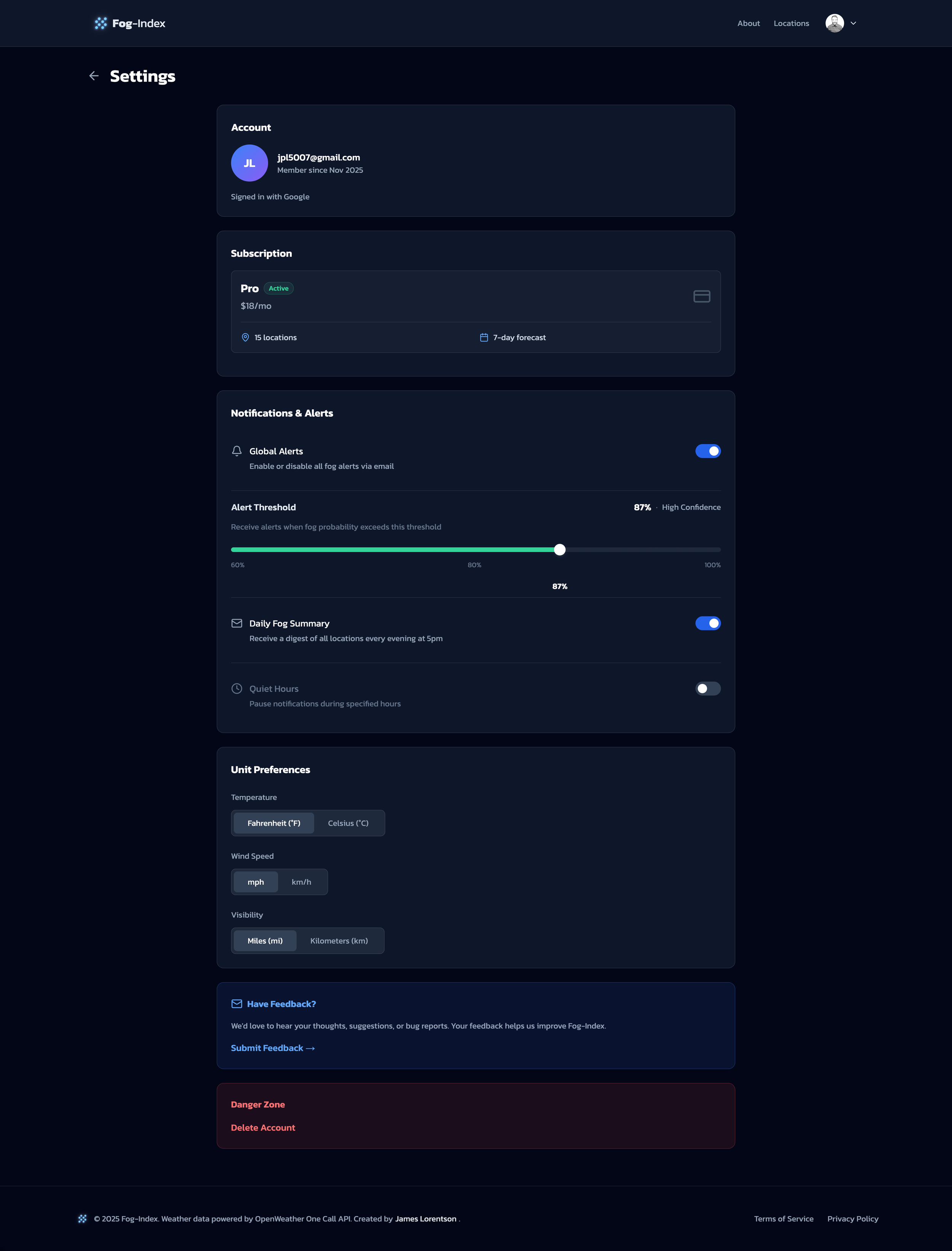
Settings
Account, billing, and app settings
-
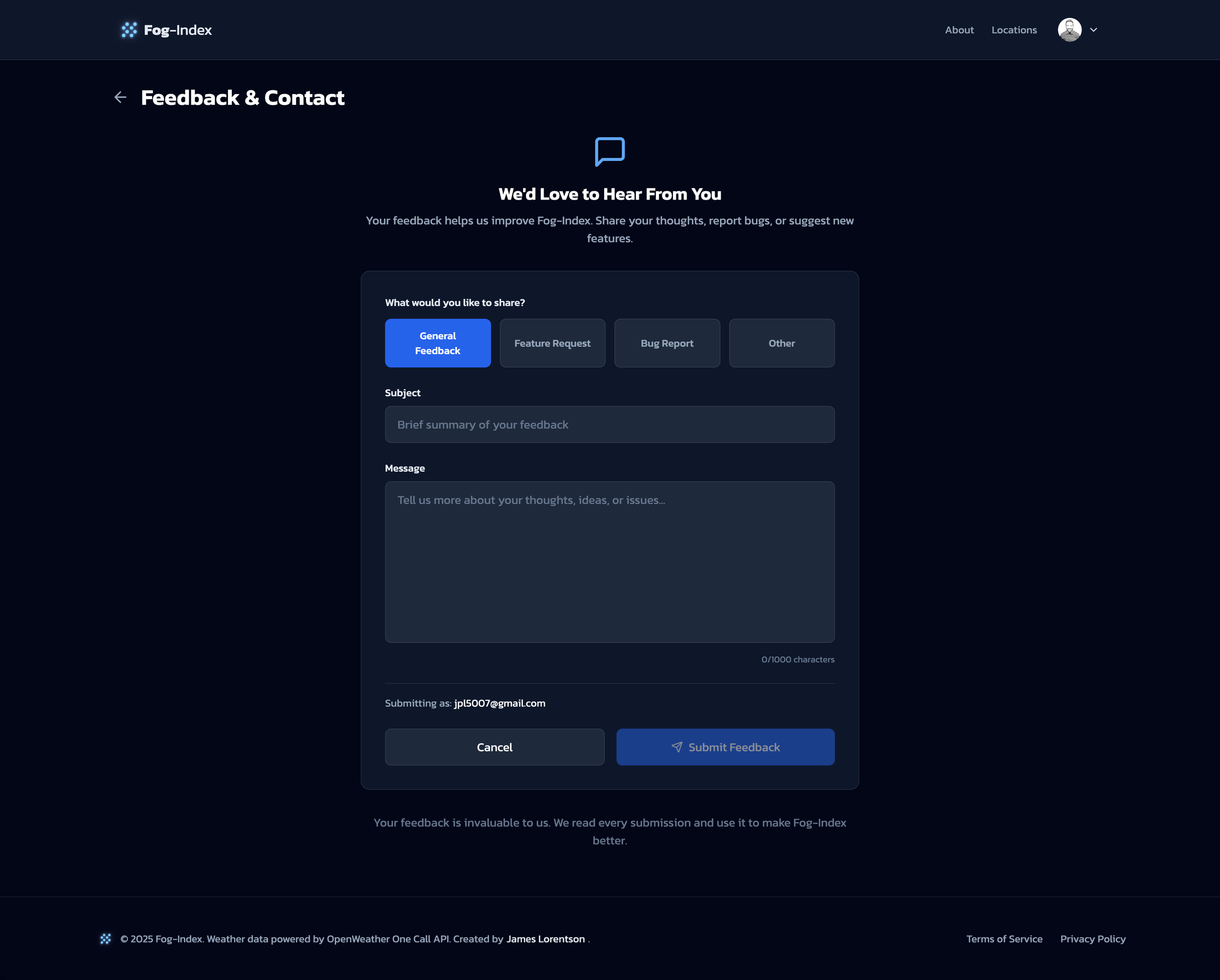
Feedback Form
Provides a way for users to reach out and share feedback.
-
About Page
(SEE BELOW)
Thought Leadership
Educating users through design
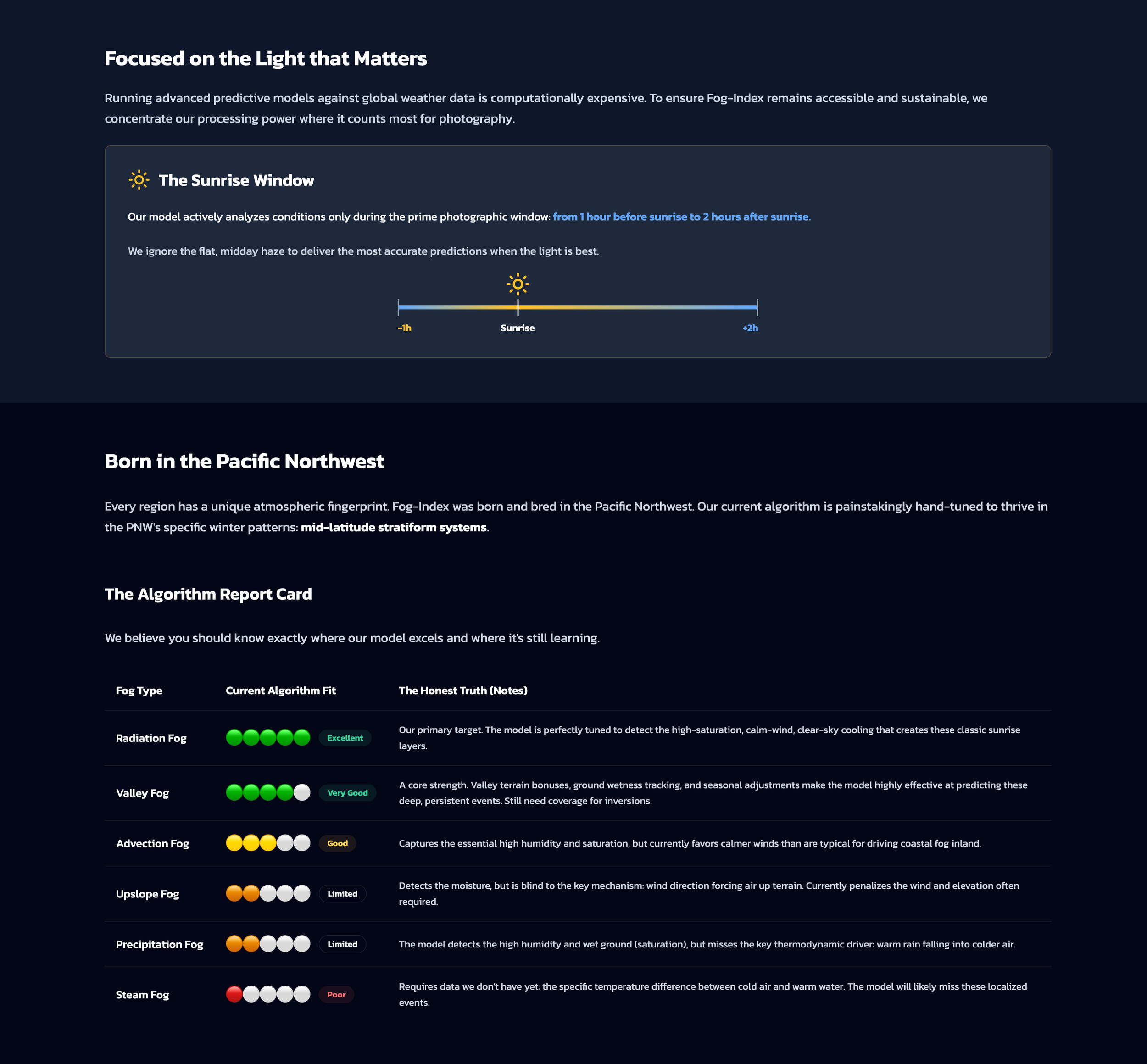
The About page and helper info don't just explain the product—they teach fog science with custom illustrations and transparent algorithm reporting.
INFRASTRUCTURE
App Data & Systems
Setting Up the Systems
-
Firebase & Firestore
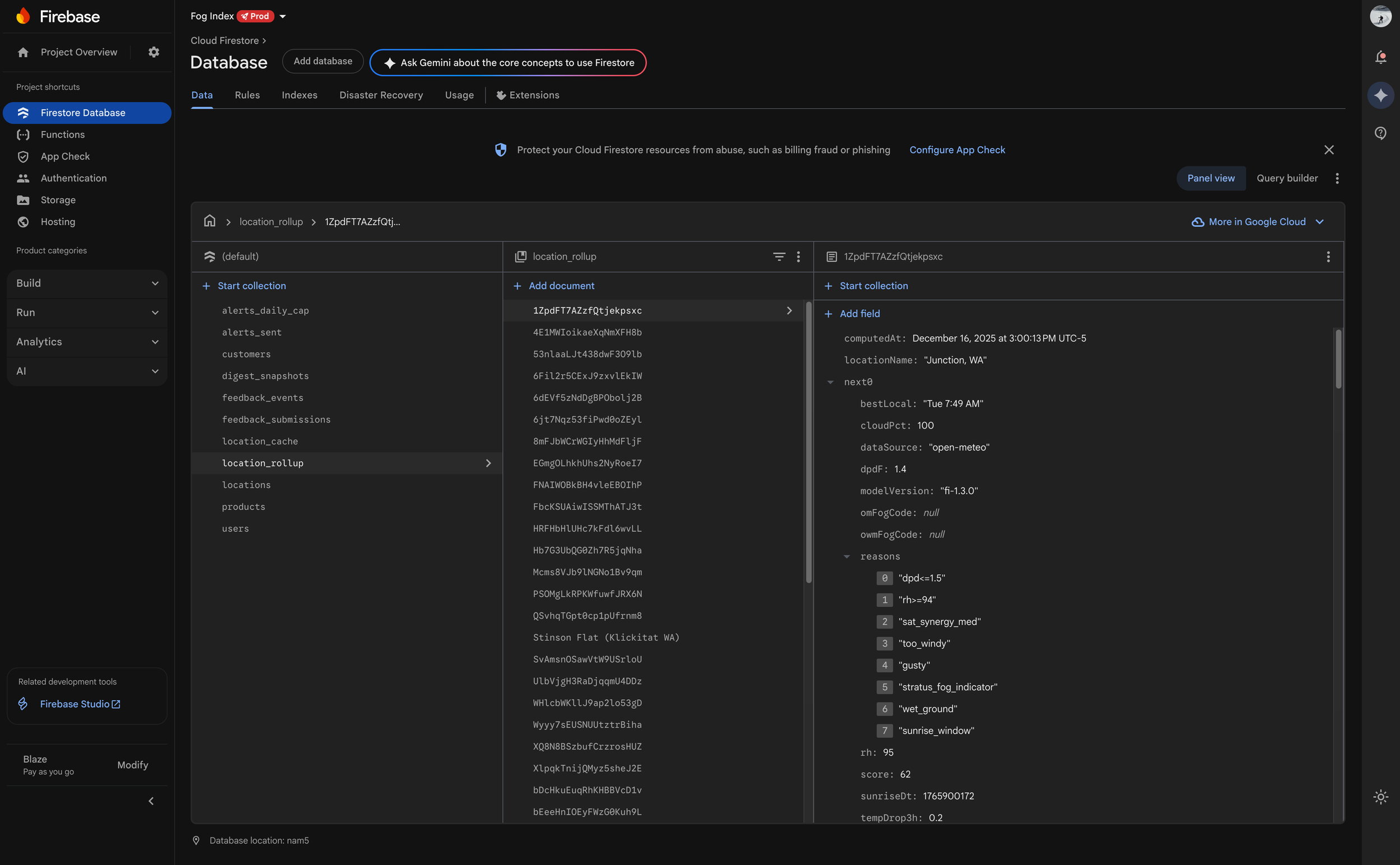
-
Google Cloud
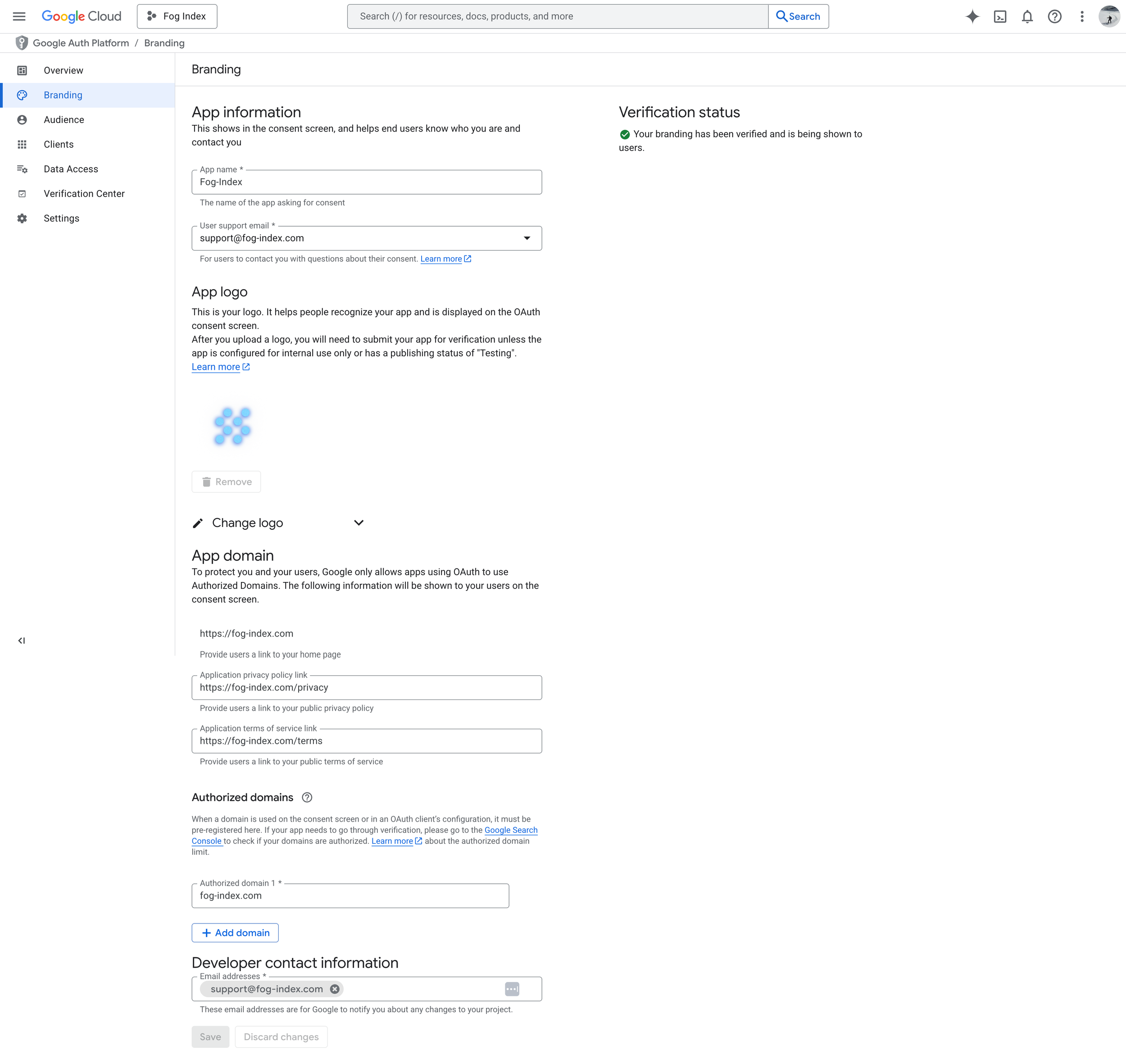
-
DNS Custom Records

-
Google Search Console
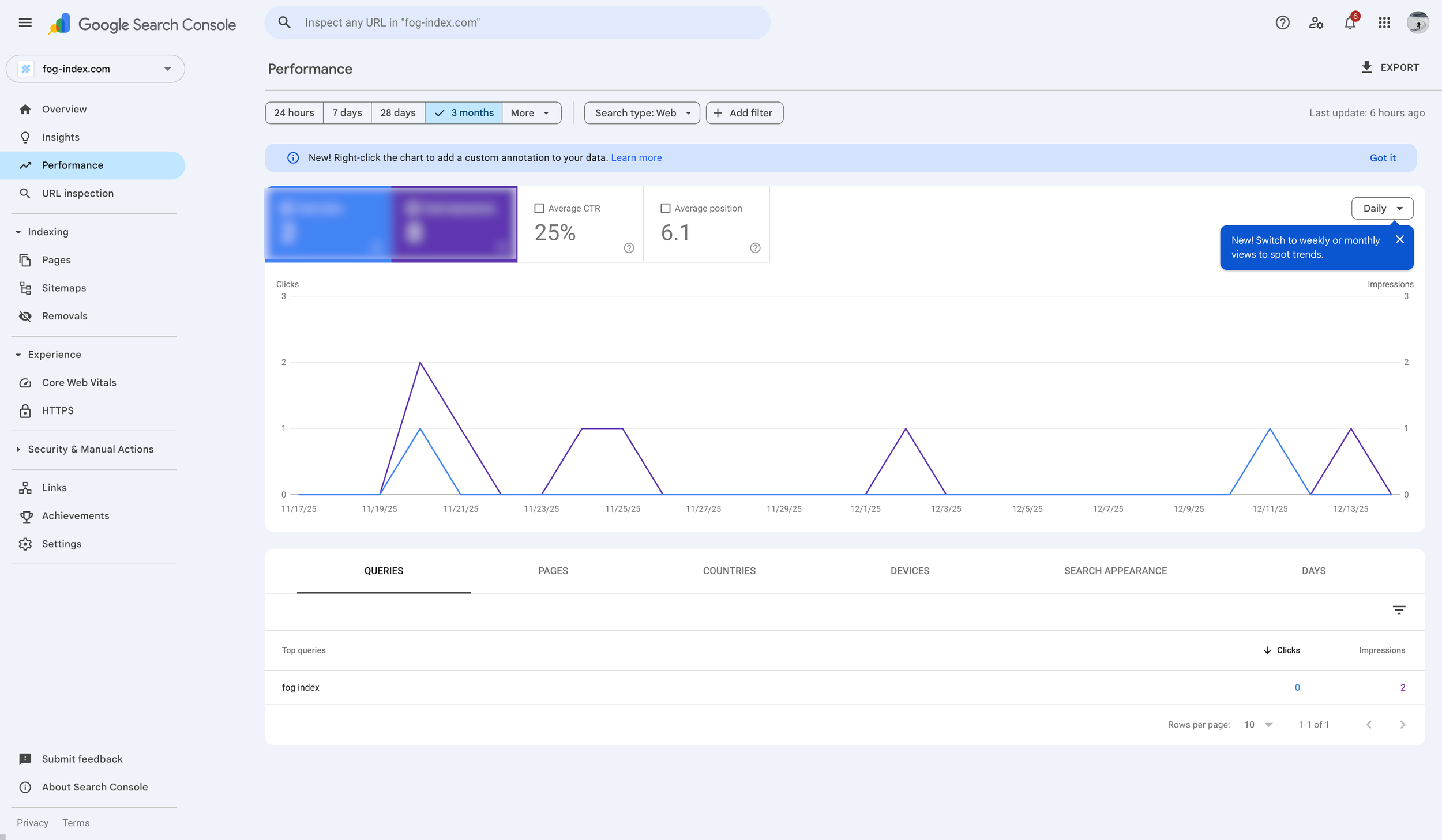
-
ReSend (Email Alerts)
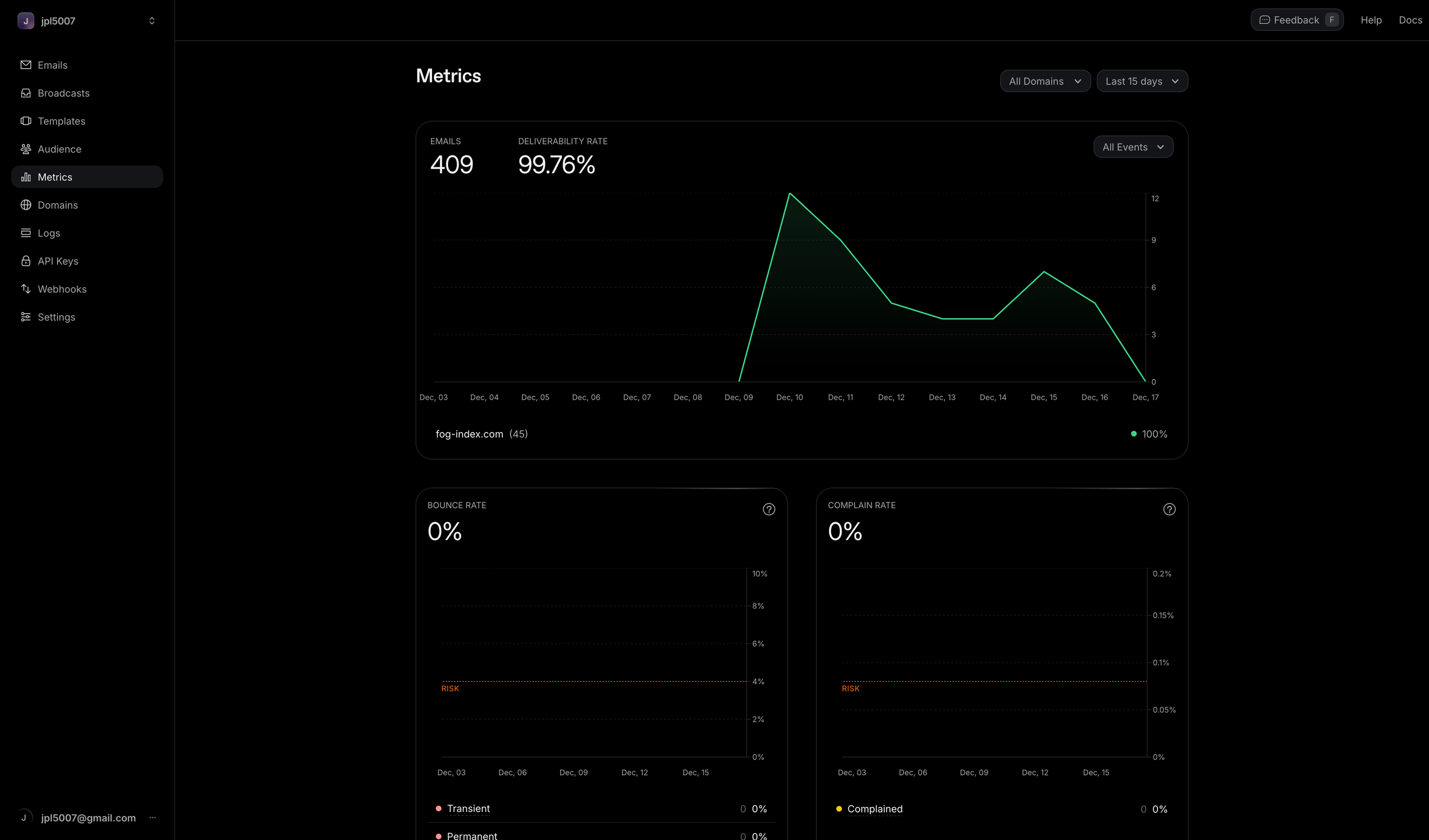
-
Stripe
Debugging
Where Real Learning Happened
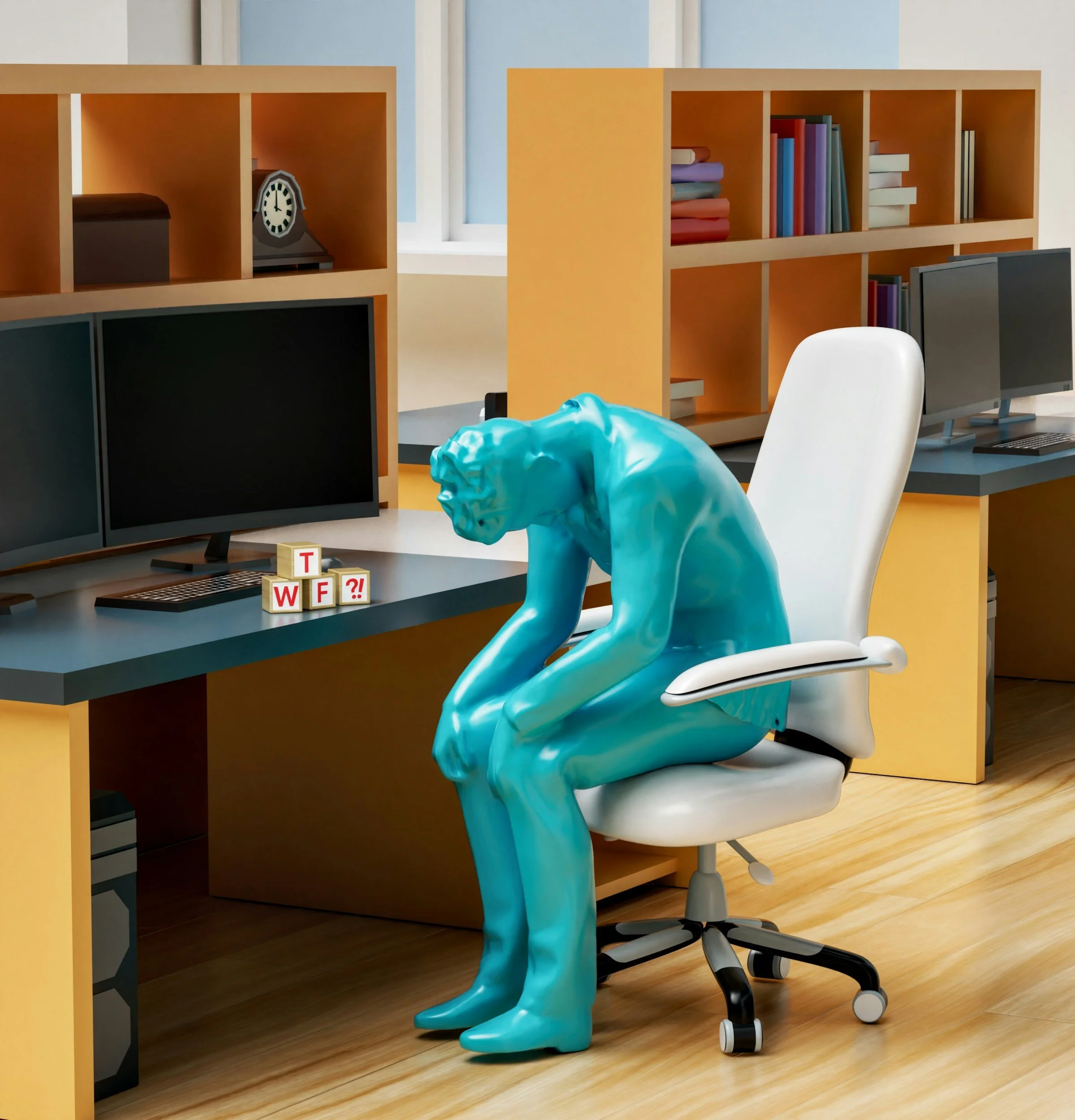
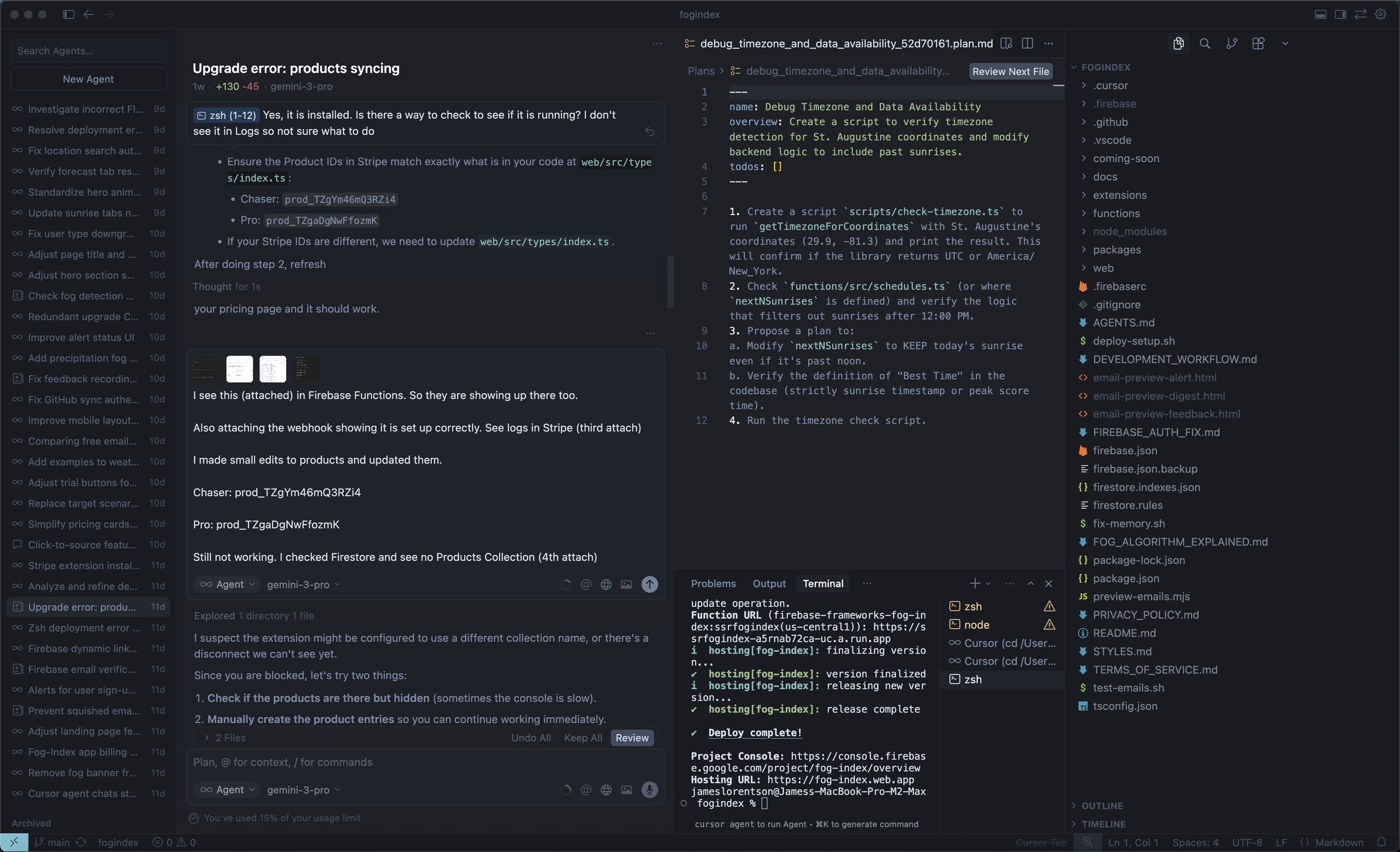
If I'm honest, 95% of my time in Cursor was debugging. Not writing features—fixing things that didn't work.
Notable Debugging Battles
1. Beta Password in Production
I implemented a beta gate to lock down the site before launch. It worked locally but failed in production.
The issue: Environment variables with special characters (`$` in the password) were being interpreted differently by Firebase Hosting. Three days of cookie debugging, env var escaping, and middleware rewrites.
2. Firebase Deployment Conflicts
React Three Fiber dependencies (for a fog shader I prototyped) conflicted with Firebase's deployment process. I had to systematically remove unused packages and trace peer dependency conflicts.
3. Timezone Bugs
Eastern US locations were showing wrong sunrise times. The issue: I was falling back to a hardcoded Pacific timezone when the geo-tz lookup failed. Fixed by using Open-Meteo's built-in timezone detection.
4. Rate Limiting Edge Cases
Manual refresh was being rate-limited correctly per-location but not per-user. Had to restructure the Firestore rate limit documents to track both dimensions.
5. Cloud Function Memory
Auth failures in production due to insufficient memory allocation. Increased from 256MiB to 512MiB.
Each of these bugs took hours or days to resolve.
I'm not claiming to be a software engineer now. The AI tools did heavy lifting. The code has rough edges. A real engineering team would build it differently.
But here's what I know: I shipped. And that changes everything about how I see my role going forward.
LEARNINGS
What I Learned
This project fundamentally changed how I think about my role as a designer.
1. AI Tools Democratize Coding
The line between "designer" and "developer" is thinner than I thought. With AI assistance, I could ship production features that would have required an engineering team five years ago. Not everything—the debugging still required deep understanding—but enough to build a real product.
2. Working directly with code taught me things I couldn't learn from Figma
- How state management affects component composition
- Why certain animations are expensive
- The real constraints of email rendering
- How backend scheduling affects user expectations
This knowledge will make me a better designer even when I'm handing off to developers.
3. The Feedback Loop Is Faster
No handoff delays. No "that's not quite what I meant" conversations. When I saw something that looked wrong, I fixed it in the same minute. The iteration speed was intoxicating.
4. Full-Stack Thinking Leads to Better Products
Designing the frontend while understanding the backend meant I could make better tradeoffs. Should this data be cached? Should this be a server or client component? Should this email be sent immediately or queued? These decisions compound.
Building with AI assistance
Cursor + Claude enabled me to ship production features in a month that would have required 6 months + an engineering team four years ago.
Scaffold boilerplate quickly
Basic debugging (e.g., cryptic TypeScript errors)
Explain unfamiliar APIs
Suggest architectural patterns
Taught me the git-commit, local dev environment, and deploy workflows.
What AI Did Well
Product vision/strategy
Algorithm design and tuning
UX decisions and information hierarchy
Visual polish and animation timing
Debugging strategy and root cause analysis
Maintaining context of the big picture
Keeping the code clean and human readable
What Required Human Judgment
I’m incredibly proud of this project as it combined so many things I love—solving white-space problems, photography, weather, design, science, AI, code, and iteratively refining things to make them just right!
NEXT STEPS
Where I Go From Here
In less than two months, I took a loosely formed idea, created a custom weather model, and turned it into a shipped and income-earning product.
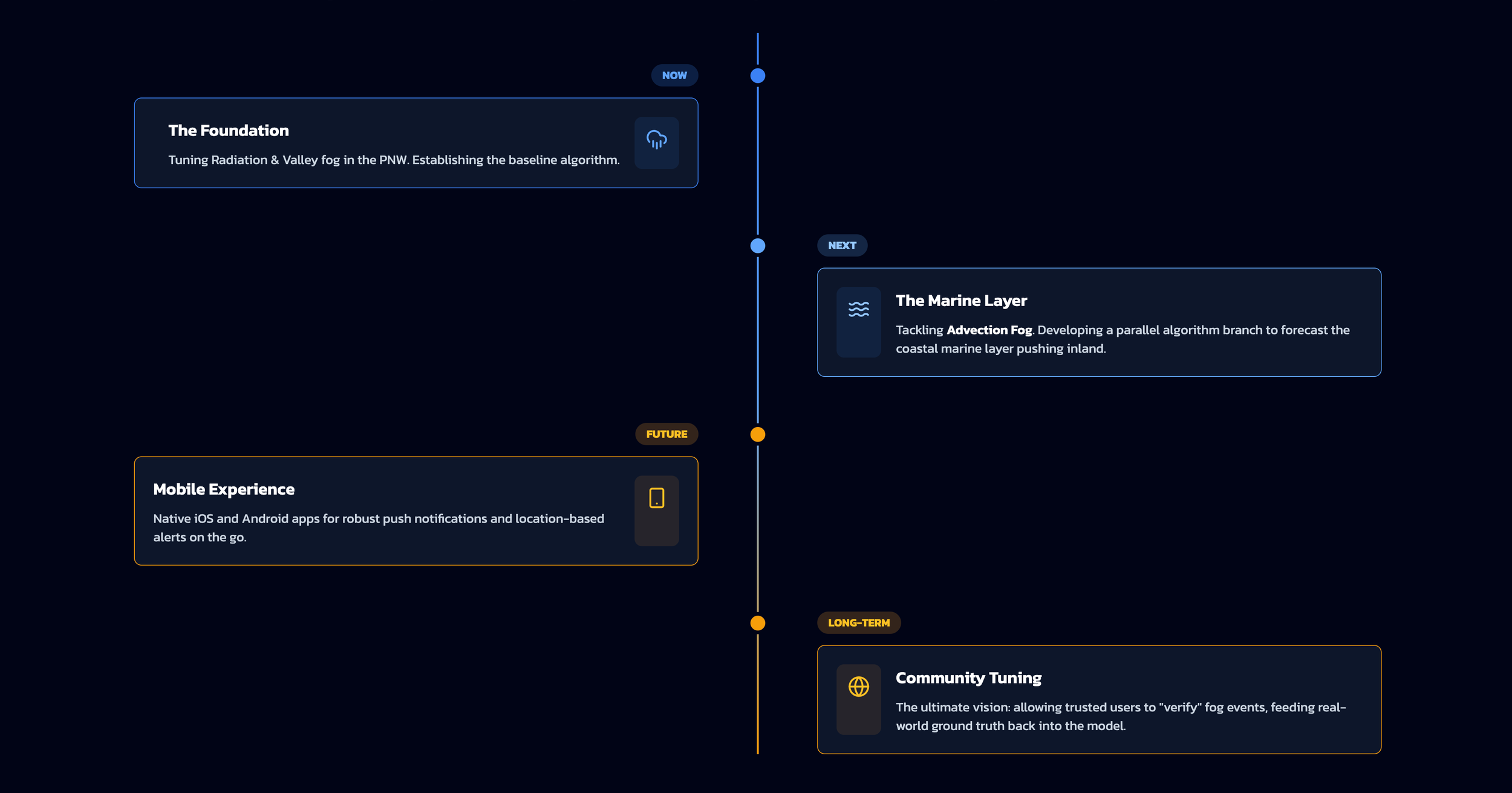
And Fog-Index is just getting started!